X
wikiHow is a “wiki,” similar to Wikipedia, which means that many of our articles are co-written by multiple authors. To create this article, volunteer authors worked to edit and improve it over time.
This article has been viewed 22,923 times.
Learn more...
If you're typing up a document in word, and want to know how to insert page numbers, read on...
Steps
-
1Open up Microsoft Word 2007. This can be found under the 'start menu'\All Programs\Microsoft Office\Microsoft Word 2007.
-
2Click on the 'Insert' tab. This is in the top-left corner of the screen, in between the 'Home' and 'Page Layout' tabs.
-
3Click on 'Page Number'. This is in the 'Header & Footer' section.
-
4Select either 'Top of Page' or 'Bottom of Page'. This is your choice- you can also select other options, but these two are most common.


Community Q&A
-
QuestionHow to save the page?
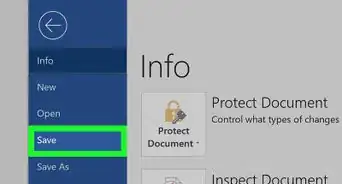
 VYCommunity AnswerGo to file and click save. If it wasn't saved before, it will ask for a location. You can decide whether it should be in Documents, Downloads, Drive etc. If it is already saved and you want new edits to be saved, click on ctrl+S. It's the shortcut for saving. If you want another copy to be saved, then click on File and then Save As. Save As allows saving as another file with a new name.
 -
QuestionHow to save the page once your doneVYCommunity AnswerClick on CTRL+s. Or click on File and then Save. Give it a location and hit save. You can go check the location if it saved or not. Don't close the file if it isn't saved. And try again by saving with another name, or at another location.