X
This article was written by Jack Lloyd. Jack Lloyd is a Technology Writer and Editor for wikiHow. He has over two years of experience writing and editing technology-related articles. He is technology enthusiast and an English teacher.
wikiHow marks an article as reader-approved once it receives enough positive feedback. In this case, 96% of readers who voted found the article helpful, earning it our reader-approved status.
This article has been viewed 695,786 times.
This wikiHow teaches you how to prevent other people from viewing your friends list on both desktop and mobile platforms.
Steps
Method 1
Method 1 of 2:On Mobile
Method 1
-
1Open Facebook. This app is dark-blue with a white "f" on it. Doing so will open Facebook to your News Feed if you're signed in.
- If you aren't signed into Facebook, enter your email address (or phone number) and password before continuing.
-
2Tap ☰. It's either in the bottom-right corner of the screen (iPhone) or in the top-right corner of the screen (Android).
-
3Scroll down and tap Settings. Skip this step on Android.
-
4Tap Account Settings. Doing so will open the Facebook settings.
-
5Tap Privacy. This option is near the top of the screen.
-
6Tap Who can see your friends list?. You'll see it near the top of the screen.
-
7Tap Only me. It's near the middle of the screen. Doing so will restrict your friends list to your viewing only.


Method 2
Method 2 of 2:On Desktop
Method 2
-
1Go to Facebook's website. To do so, open https://www.facebook.com/ in your browser. This will open your News Feed if you're logged into Facebook.
- If you aren't logged into Facebook, enter your email address (or phone number) and password before proceeding.
-
2Click ▼. It's near the top-right corner of the Facebook page, just right of the ? icon.
-
3Click Settings. This option is near the bottom of the drop-down menu.
-
4Click Privacy. It's a tab in the upper-left area of the Settings page.
-
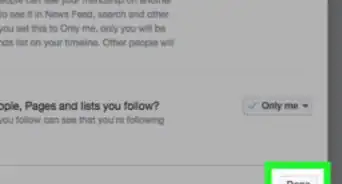
5Click Who can see your friends list?. It's the second option in the "Who can see my stuff?" section.
-
6Click the option box. This box, which is at the bottom of the Who can see your friends list? section, will likely say "Friends" or "Public" in it.
-
7Click Only me. It's near the middle of the drop-down menu. This option ensures that only you can see your friends list.


Community Q&A
-
QuestionHow do I hide photos on my Facebook account?
 Community AnswerGo to your profile and click "photos," then "albums." Use the audience selector tool under each album to control who can see your album.
 -
QuestionHow can I hide things only from certain people?
 Community AnswerIn your Friends list, you can change the category of those who you don't want to see things to "Acquaintance," and ensure that your privacy settings are set to show posts/pictures to Friends Only.
 -
QuestionHow do I hide friend requests in the future?
 Community AnswerGo to their profile and select more, the 3 dots. Then, select "block" in the red text. Those you have blocked will not be able to follow you, message you, or send friend requests.
 -
QuestionHow can I hide friends on the Facebook mobile application?Community AnswerIn order to unfollow a friend on the Facebook mobile app, you can follow basically the same process as outlined in the article. Tap the arrow in the top right corner of a post, then tap the unfollow button. To hide your friends list from public view, you will have to login to Facebook from a computer.
-
QuestionCan I hide a friend from someone else?Community AnswerNo, you cannot. However, you can make all of your friends private so that no one can see them.