This article was written by Darlene Antonelli, MA. Darlene Antonelli is a Technology Writer and Editor for wikiHow. Darlene has experience teaching college courses, writing technology-related articles, and working hands-on in the technology field. She earned an MA in Writing from Rowan University in 2012 and wrote her thesis on online communities and the personalities curated in such communities.
This wikiHow will teach you how to register a domain with GoDaddy, which comes with a monthly subscription to host the website the domain leads to.
Steps
-
1Go to https://www.godaddy.com/domains, enter your domain, and click Search. If you don't know what domain you should use, refer to How to Register a Domain Name.
- Some tips are to keep it simple, be professional, and maintain brand awareness.
- A new page will load that shows you if the domain name you want is available or taken as well as a list of similar domains.
- If you don't like the available options, you can try another search using the search bar at the top of the page.
-
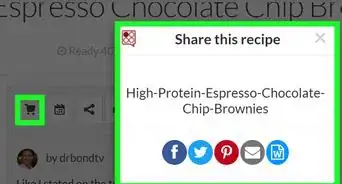
2Click Buy It Now or add-to-cart icon. If you want the premium domain offered at the top of the page, click the button to make the purchase now. However, you can scroll down the page and view the other domains to see if you like any of those better. Click the shopping cart icon with the + sign to add the domain to your cart.
- If you want to protect your domain name from other users buying similar domains, you can purchase other domains listed by clicking the add-to-cart icon.
- Throughout the cart process, you'll see helpful tips and hints scattered around the page that you can click to learn more and get more out of your purchase.
-
3Click Continue to Cart. It's in the panel on the right side of your page or in the top right corner next to the search bar if that panel closes.
- A new page will load that shows you your purchase as well as add-ons, such as a matching email plan and privacy plans. You can click Add to include them in your purchase.
- You can decline any offers for privacy or email plans by clicking the circle next to "No thanks" or click "View Details" to learn more.
- Click the years listed under the domain name to change the amount of time you're registering the domain. You can choose 1 - 5 years.
-
4Click Continue to Checkout, then sign in. When you continue to purchase the domain, you're prompted to either sign in to an existing GoDaddy account or create a new one.
-
5Enter your payment information, then click Save. Fill out your card information or click the button to use your PayPal account.
-
6Review your order and click Complete Purchase. Once you purchase the domain, you can use the tools provided by GoDaddy to create and host a website.[1]








About This Article

1. Go to https://www.godaddy.com/domains and enter your domain name.
2. Click Buy It Now or add-to-cart icon.
3. Click Continue to Cart.
4. Click Continue to Checkout, then sign in.
5. Enter your payment information, then click Save.
6. Review your order and click Complete Purchase.