wikiHow is a “wiki,” similar to Wikipedia, which means that many of our articles are co-written by multiple authors. To create this article, volunteer authors worked to edit and improve it over time.
This article has been viewed 40,910 times.
Learn more...
Apart from having non-playable characters (NPC) as your followers in Skyrim, you also have the option of getting a canine as a companion. You can have both an NPC follower and a dog at the same time! Unlike human NPCs, where you sometimes need to complete certain quests in order to get one to follow you, dogs are easier to get. Though they are not as strong and as handy during combat, getting a dog in Skyrim can certainly add a fun twist while playing the game.
Steps
-
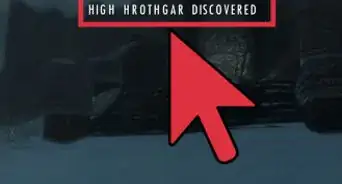
1Travel to Markarth. Markarth is the westernmost city in the map of Skyrim. To get there, exit the city of Whiterun and take the western road. Take the road all the way west past the town of Rorikstead. Markarth comes right after the Sky Haven Temple.
-
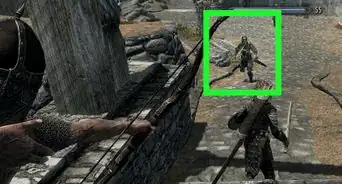
2Go to the Markarth stables. On the right hand side facing the Markarth city gates, you’ll find a small stable housing a few horses. Approach the stable and you’ll find a man with a dog tending the horses.Advertisement
-
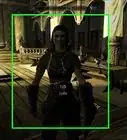
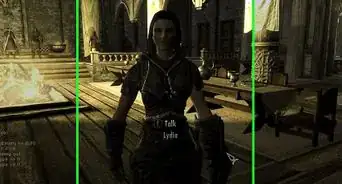
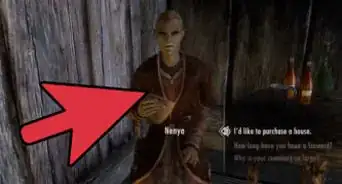
3Talk to Banning. The name of the man tending the stable is Banning. He’s a human with short dark hair wearing a brownish green tunic and a leather bracer. Approach Banning and press the corresponding “Talk” button on your game controller as prompted on the game screen to talk to him.
-
4Buy a dog. Banning will ask you if you need a trained war dog. A response box will appear on the screen allowing you to choose an answer you can give to him. Select “I’ll take that dog off your hands,” and he’ll give you the dog standing next to him in exchange for 500 gold.
-
5Continue on your journey. Walk away from Banning and you’ll notice that the dog will start following you. It will continue to do so since you are now its owner.
-
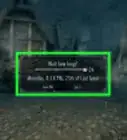
6Give orders to the dog. You can either tell a dog to stay and wait or go home. To give orders to the dog, approach it and press the corresponding “Talk” button on your game controller to interact with the dog. A response box will appear on the screen allowing you to choose an order you can give to it.
- Select “Wait here” and the dog will sit and wait for you at the spot you told it to wait for you. It will not move no matter where you go. If you stray too far from your waiting dog and manage to lose sight of it, it will spawn back next to you once the game reloads.
- To have it follow you again, approach it and press the “Talk” button on your game controller and select “Follow me” from the response box.
- To send the dog back home, select “It’s time for you to go back home,” and it will start walking away from you. When you go back to one of the houses you own, like in Whiterun, you’ll find the dog inside the lodging.
-
7Get another dog. Dogs can be killed if severely damaged during combat. Don’t worry though because you can get another dog from Banning in Markarth. On the other hand, you can’t get second dog while the first one you bought is still alive.Advertisement


Community Q&A
-
QuestionIs there any other way to set a dog?
 Community AnswerYes. If you enter the vampire's castle and accept their lord offer to be a vampire (in dawngurd mod), you can command to their dogs to follow you.
 -
QuestionHow many dogs can you get?
 Shayley HawnCommunity AnswerYou can only have one living dog at a time. If, somehow, your dog gets killed, you can always go back for another one.
 -
QuestionWhat do I do if he says I already have an animal, but I don't?
 Community AnswerYou probably left the dog somewhere on "wait for me" mode. Even if you fast travel, the dog will not follow you until you ask him to do so. You have to find the dog.
 -
QuestionWait, so if I leave my dog somewhere, I must find him?
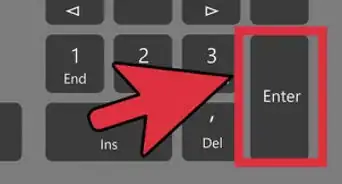
 Community AnswerCorrect, unless you're on PC, then you can get him to teleport to you using the "~" key underneath your escape key.
 -
QuestionI have heard there are different breeds of dogs in Skyrim, such as huskies; how do I get them?Community AnswerHuskies are available with the Dawnguard add-on. There are mods that incorporate different breeds into the game, as well as making each dog unique.
-
QuestionI told my dog, "It's time for you to go back home, dog," and instead of returning to my house, it went back to Banning so I had to buy him again. Do you know why this happened?
 Community AnswerThis doesn't happen often, but it has happened to others, so it may be a bug in the game. Either that or you don’t have a home for him to stay in.
 -
QuestionHow do I get a second dog from Banning?Community AnswerYou can only have one living dog at a time. If your dog dies, then you can get another one.
-
QuestionMy dog died, so I went back, but he won't let me get another. What do I do?Community AnswerIn this case, it's possible that your dog did not die and is in fact waiting for you at one of your houses. If not, then you left it on wait mode. If you cannot find your dog, then it’s possibly a glitch in your game and you may have to restart.
-
QuestionIs this only available with mods or can I do it without one?Community AnswerYou can get a dog without mods, but to get different breeds of dogs you need mods.
-
QuestionI sent my dog home, but I can't find it anywhere. Is this a glitch?Community AnswerIf you have more than one house, the dog might have gone to a different house. If you don't have a house he will go back to wherever you adopted him from, or to Dragonsreach in Whiterun,or it could just be a glitch.
About This Article
1. Travel to Markarth.
2. Go to the stables.
3. Speak to Banning.
4. Offer to take the dog.
5. Pay 500 gold.