X
wikiHow is a “wiki,” similar to Wikipedia, which means that many of our articles are co-written by multiple authors. To create this article, 24 people, some anonymous, worked to edit and improve it over time.
This article has been viewed 153,674 times.
Learn more...
Having trouble getting songs onto your iPod from the iTunes store? This will show you how to put songs on your iPod if you are using a PC.
Steps
Method 1
Method 1 of 2:On a PC
Method 1
-
1Open up iTunes and minimize it (the little line in the box on the top right or left).
-
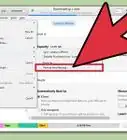
2Open iTunes back up by clicking on the box that says iTunes. Click "Music store," then click redeem cards.
-
3Go to the music store home and go to power search. Type in the artist and song name. Click search. Some songs should show up.
-
4Click buy song on the ones you want. A little thing will pop up and ask you for your password. Then another one will pop up and ask if you are sure you want to buy this song. Click yes (if you are sure).
-
5Once it is done loading, click out of everything and open up iTunes again.
-
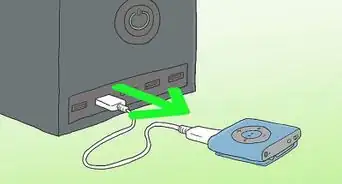
6Plug in your iPod using the USB cord that came with it. It will say "Updating ipod do not disconnect". Wait until it says "iPod update complete okay to disconnect". That means the song made it to your ipod nano.


Method 2
Method 2 of 2:On a Mac
Method 2
-
1Open iTunes.
-
2Put songs into your iTunes library either by downloading songs from the iTunes library using steps 2-4 above or by importing them from a CD you own.
- Insert the CD into your computer.
- The list of songs on the CD should show up. If it doesn't, click on the name of the CD under the SOURCE list on the left side bar.
- Make sure there is a check mark next to the name of every song you want to import. Uncheck the songs you don't want.
- Click IMPORT CD in the upper right hand corner. The songs will now begin to download.
- When the songs are finished downloading, it is now okay to eject your CD.
-
3Plug in your iPod. The iPod should automatically begin to sync with your iTunes library unless you have changed the settings. Do not disconnect while it is syncing, otherwise some or all of the files may not be copied into your iPod.
-
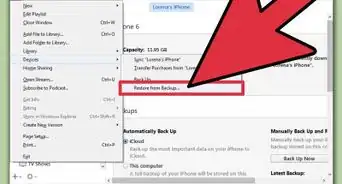
4If the iPod does not automatically start to sync, click on the icon and the name of your iPod under DEVICES in the left side bar. In the lower right side, it should say SYNC IPOD. click this button.
-
5When the sync is complete, disconnect your iPod.


Community Q&A
-
QuestionHow do I get songs from iTunes for free?
 Community AnswerUse YouTube converter to download songs and drag them into iTunes. Just make sure you use a legal website.
 -
QuestionHow to I add tracks to my library in iTunes and put them on my iPod Nano?
 Community AnswerIf you bought music on iTunes, once you plug in your iPod Nano into your computer click on the icon of your iPod on the left hand side. Then at the bottom right of the screen that gives a description of your iPod, click on sync and then it will sync your iPod and all music will be added.
 -
QuestionCan I use a tablet to put music on my Nano from iTunes?Community AnswerNo. Tablets do not have the option to sync to other devices.
Warnings
- Don't Illegally download music for you iPod. It can result in you getting sued by the RIAA and it can give your computer a nasty virus.Thanks!
- Only Buy Videos For Your Nano If You have a 3RD GENERATION or higher IPOD NANO.Thanks!
Things You'll Need
- iPod Nano.
- iTunes.
- Computer.
- Internet.
- Cord that came with your iPod Nano.
- iTunes Music Card.