This article was written by Travis Boylls. Travis Boylls is a Technology Writer and Editor for wikiHow. Travis has experience writing technology-related articles, providing software customer service, and in graphic design. He specializes in Windows, macOS, Android, iOS, and Linux platforms. He studied graphic design at Pikes Peak Community College.
The wikiHow Tech Team also followed the article's instructions and verified that they work.
This article has been viewed 4,372 times.
This wikiHow teaches you how to get HBO on Hulu on iPhone and iPad. Hulu doesn't allow you to manage your account through the Hulu app, so you'll need to log in to Hulu on a web browser.
Steps
-
1Go to https://www.hulu.com in a web browser. In a mobile web browser such as Chrome or Safari, open the main Hulu website.
-
2Tap Already a subscriber. It's below the green button that says "Start your free trial".Advertisement
-
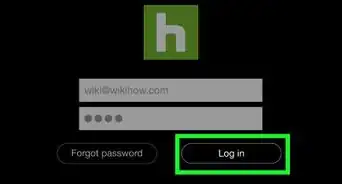
3Type your email address and password. You need to log in to the website with the email address and password associated with your Hulu account.
-
4Tap Log In. It's the green button below the bars where you type your email and password.
-
5Tap Manage. It's across from "Add-ons" in the box labeled "Your Subscription".
-
6Tap Manage Add-ons. It's the green button in the box labeled "Your Current Plan". This will take you to the bottom of the page where all the add-ons are.
-
7Tap + Add This below HBO. It's the circular button with a plus sign that says "Add This" under HBO in the "Premium Add-ons" section. The plus sign will turn into a checkmark and the text "You Want This" will appear next to it.
-
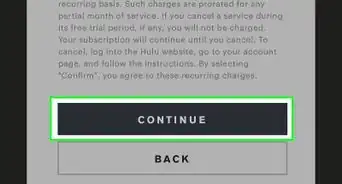
8Scroll down and tap Continue. It's the green button at the bottom of the page.
-
9Tap Continue. Confirm your subscription and click "Continue". It's the green button at the bottom of the page.Advertisement






About This Article

1. Go to https://www.hulu.com
2. Tap Already a subscriber and log in.
3. Tap Manage across from "Add-ons".
4. Tap Manage Add-ons.
5. Tap + Add This below HBO.
6. Scroll down and tap Continue.
7. Tap Continue to confirm.