This article was written by Travis Boylls. Travis Boylls is a Technology Writer and Editor for wikiHow. Travis has experience writing technology-related articles, providing software customer service, and in graphic design. He specializes in Windows, macOS, Android, iOS, and Linux platforms. He studied graphic design at Pikes Peak Community College.
This article has been viewed 3,352 times.
This wikiHow teaches you how to add HBO to your Hulu account on Android. HBO comes with a 7-day free trial and costs an additional $14.99 a month after the free trial has expired.
Steps
-
1Open Hulu. It's the green app that says "Hulu" in white.
- Download Hulu from the Google Play Store and log in with the email address and password for your account if you haven't done so already.
-
2Tap {[MacButton|Account}}. It's profile icon at the bottom-right corner of the screen. This will load your account page.Advertisement
-
3Tap Account. It's the first option at the top of the page.
-
4Tap MANAGE in the "Add-ons" section.
-
5Scroll down to HBO and tap +Add This. It's below the HBO description in the "Premium Add-ons" section of the page.
-
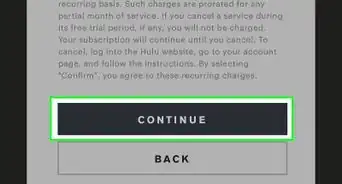
6Scroll down and tap Continue. It's the green button at the bottom of the page.
-
7Tap Continue to confirm. This adds the monthly HBO purchase to your Hulu account.
-
8Tap Start Watching. You can now watch HBO on Hulu.Advertisement









About This Article

1. Open Hulu.
2. Tap the Account tab.
3. Tap Account.
4. Tap Manage across from Add-ons.
5. Tap Add This below HBO.
6. Tap Continue twice.
7. Tap Start Watching.