This article was co-authored by wikiHow Staff. Our trained team of editors and researchers validate articles for accuracy and comprehensiveness. wikiHow's Content Management Team carefully monitors the work from our editorial staff to ensure that each article is backed by trusted research and meets our high quality standards.
This article has been viewed 1,818 times.
Learn more...
LinkedIn is a powerful social networking tool that you can use to build your career. On LinkedIn, your connections can endorse you for skills that they know you are proficient in. These endorsements appear on your profile and look good to hiring managers and others that visit your profile. You can get more endorsements by asking people directly and by staying active on the platform. With the right approach, you can get 99+ endorsements on all your skills!
Steps
Method 1
Method 1 of 2:Asking People Directly
-
1Identify people that you’ve worked closely with. You can only be endorsed by profiles that are directly connected to yours. Make a list of coworkers and supervisors that you’ve had a positive working relationship with. Don’t consider people that you haven’t worked with or only have worked with for a brief period of time.[1]
- This list can also include positions that you’ve had in the past.
- You can also ask professors or teachers to endorse you.
-
2Craft a message asking for an endorsement. Type up a short, 5-6 sentence message asking people to endorse you for your skills. Make sure to list out the specific skills you want to be endorsed for. Talk about the importance of endorsements for your digital presence and career. You can also entice more people to endorse you by telling them that you’ll endorse their profile in return.
- The message could be something like, “Hey there. I’m looking to build up my LinkedIn profile and I wanted to get more endorsements. It helps with hiring and digital presence. I’d gladly endorse your profile back. Could you endorse me for writing, blogging, and video editing? I’d really appreciate it!”
- Or it could be something like, “Hi there. I was wondering if you’d like me to endorse you for certain skills. It helps with your digital brand and HR. If you have a second, do you think you could endorse me for cooking, cleaning, and babysitting? Let me know what skills you want me to endorse for your profile. Thank you so much! :)”
-
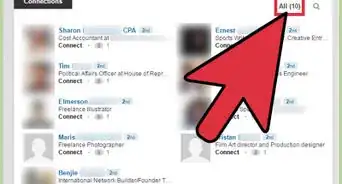
3Send your pre-written message to select connections. Navigate to your homepage and click on “My Network” at the top of the page. Click on “See all” on the left side of the screen to go to a list of your connections. Search for the connections that you want to endorse you and message them. Copy and paste the message and wait to see who responds.
- Make sure you only send one message to each person.
- You can message people individually if you don't want to use a pre-written message.


Method 2
Method 2 of 2:Optimizing Your Chances of Being Endorsed
-
1Fill out the skills section in your profile. Scroll down to the “Skills and Endorsements” section of your profile and review the skills that you have listed. Add any skills you want to be endorsed for but aren’t listed. Remove any skills that aren’t applicable to your field of work.[2]
- You can also hide endorsements that you don’t want others to see.
-
2Connect with your coworkers and supervisors. The more direct connections you have, the greater the chance of being endorsed. Search the name of the person you want to connect to in the top left of your homepage. They will be able to access your profile and endorse you for skills that you perform or have performed on the job.[3]
- Connect with your current co-workers and supervisors who you have a good working relationship with.
- You should also connect with people that you’ve worked with in the past.
-
3Post regularly on LinkedIn. Posting more will make you appear more often in feeds, which improves the chances of other people endorsing you. Make meaningful career-oriented posts that others may find insightful. Post at least once a day to build your presence on the platform.[4]
- Because there are less people active on LinkedIn, there’s a greater chance of your post being seen by your connections.
- You can post articles about your career or blog posts about things that you're doing at work.
-
4Endorse your connections and the people who endorse you. Endorsing others may result in an endorsement back. If you sent a direct message and said that you would endorse someone back, make sure to follow up on it and endorse them for the skills you know they have.
- When you endorse someone, they will get a notification, making them more likely to endorse you back.




References
- ↑ https://www.themuse.com/advice/linkedin-endorsements-how-to-get-the-ones-that-really-matter
- ↑ https://www.business2community.com/linkedin/the-best-way-to-increase-your-linkedin-endorsements-01243970
- ↑ https://www.forbes.com/sites/susanadams/2013/12/24/everything-you-need-to-know-about-linkedin-endorsements-2/#17bd5c902b87
- ↑ https://www.quicksprout.com/2017/05/29/how-to-get-99-endorsements-on-all-your-linkedin-skills/
About This Article