X
wikiHow is a “wiki,” similar to Wikipedia, which means that many of our articles are co-written by multiple authors. To create this article, 20 people, some anonymous, worked to edit and improve it over time.
This article has been viewed 90,065 times.
Learn more...
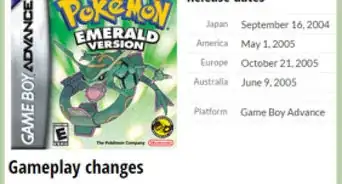
Have you ever lost or damaged a Pokémon Emerald cartridge? Have you gotten tired of the game because you can't catch them all? Have you ever wanted to play some of the classic Pokémon games? This article will teach you how to play Pokémon Emerald on your computer and use cheats to get the Pokémon you want.
Steps
-
1Download a Game Boy Advance emulator. Visual Boy Advance is a popular emulator. Visual Boy Advance can be found at http://emulator-zone.com/doc.php/gba/vboyadvance.html.
-
2Download the Pokémon Emerald ROM. This ROM can be found at http://coolrom.com/roms/gba/14604/Pokemon_Emerald.php.Advertisement
-
3Run Visual Boy Advance. This is a .exe type file. If it asks to always pop up the Window, uncheck "Don't ask me Again".
-
4Go to File>Open Gameboy. Then chose the ROM (Emerald). It will start playing! You may want to go to Options>JoyPad>Configure>1 to understand the Different controls.
-
5Now it will say "Internal Battery has run 'Dry', the game can be played," To fix that, go to Options>Emulator>Real-Time Clock and click the R-Time Clock. Now close and repeat steps 3 & 4.
-
6To add cheats, go to Cheats>Cheatlist and go to Gameshark, CodeBreaker or any other Option and Do what it says. Meaning put the code in the 'Code Here' Section and put the name of the Code in the 'Description'. To get codes, go to https://youtube.com and look up "Cheat codes for Emerald game shark".
-
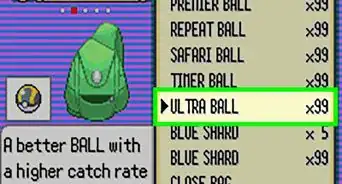
7Cheats automatically are enabled once entered in. As in common sense, just unclick the box to disable the Code. This is a great way to capture all Pokémon, JUST CHEAT.Advertisement


Warnings
- Games on emulators are illegal in most countries, be careful where you download it from.Thanks!
Advertisement


About This Article
Advertisement