X
This article was written by Darlene Antonelli, MA. Darlene Antonelli is a Technology Writer and Editor for wikiHow. Darlene has experience teaching college courses, writing technology-related articles, and working hands-on in the technology field. She earned an MA in Writing from Rowan University in 2012 and wrote her thesis on online communities and the personalities curated in such communities.
This article has been viewed 2,156 times.
This wikiHow teaches you how to get Amazon Music Unlimited on Android. You'll first need to sign up for Amazon Music Unlimited from a web browser on your phone. From there, you'll be able to sign into the Amazon Music app and use your subscription.
Steps
Part 1
Part 1 of 2:Subscribing to Amazon Music Unlimited
Part 1
-
1Open a browser on your Android device. You could use popular browsers like Chrome or Firefox.
-
2Navigate to amazon.com.
-
3Tap Sign in. This is in the upper right corner of the screen.
-
4Sign in to your Amazon account.
- If you aren't automatically signed in, tap the Sign In button near the top of the page. Then, enter your email address or phone number and your password and tap the Sign in button.
-
5Tap ☰. A menu will slide out from the side.
-
6Tap Amazon Music. This will load a new page for Amazon Music.
-
7Tap on Amazon Music Unlimited.
-
8Tap Try it free or Learn More. This will open a new page for you to enter in payment information, such as credit card numbers, billing addresses, and which subscription.
-
9Tap Confirm Subscription. This will start your music service with Amazon Music Unlimited.


Part 2
Part 2 of 2:Listening to Amazon Music Unlimited on Android
Part 2
-
1
-
2Type in "Amazon Music". The search box is along the top of your screen.
- The application author is Amazon Mobile LLC.
-
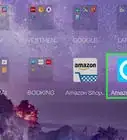
3Tap the green Install button.
- Amazon Music will be added to your homescreen and app drawer.
-
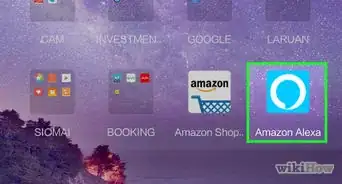
4Tap on the Amazon Music app icon. This looks like a blue square with ‘music’ in white words inside with an arrow pointing between M and C.
-
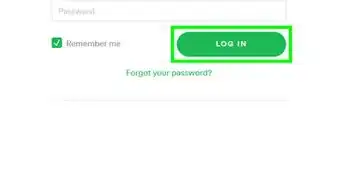
5Sign in to your Amazon Account.
- You now have access to Amazon Music Unlimited.




About This Article

Darlene Antonelli, MA
Tech Specialist
This article was written by Darlene Antonelli, MA. Darlene Antonelli is a Technology Writer and Editor for wikiHow. Darlene has experience teaching college courses, writing technology-related articles, and working hands-on in the technology field. She earned an MA in Writing from Rowan University in 2012 and wrote her thesis on online communities and the personalities curated in such communities. This article has been viewed 2,156 times.
How helpful is this?
Co-authors: 2
Updated: September 15, 2021
Views: 2,156
Categories: Amazon Alexa