X
wikiHow is a “wiki,” similar to Wikipedia, which means that many of our articles are co-written by multiple authors. To create this article, 13 people, some anonymous, worked to edit and improve it over time.
This article has been viewed 74,357 times.
Learn more...
Have you discovered a strange problem with your VGN-SZ? It may well be that your laptop bios cannot perfectly support the second memory bank if you have installed one. Read this article to learn exactly how to flash a laptop BIOS.
Steps
-
1Turn on your computer.
-
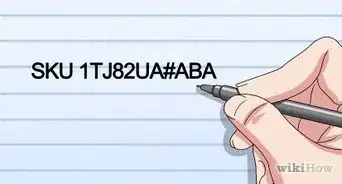
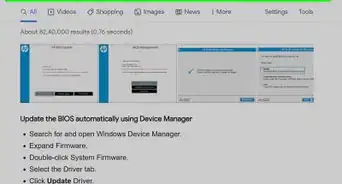
2Find the latest update file for your computer BIOS.Advertisement
-
3Click Download to download the file.
-
4Download the program. If the export window Compliance Responsibility appears, click Yes, I accept this agreement. Save your file now.
-
5Download the file manually. If you have any downloader program, Click Save this program to desktop and then click OK.
-
6Save the program. In the window that appears under, click Save.
-
7Know how to use internet explorer. If you are using Internet Explorer, Click the down arrow to the Save As menu, select your Desktop, then click Save. The file downloads to your desktop.
-
8Click Close when the download is completed on the screen. The file icon on your desktop and is titled like the BIOS update can be downloaded.
-
9Double-click the file to your desktop. Then follow the instructions on the screen.Advertisement


Community Q&A
-
QuestionHow do I fix a computer that says there's no operating system?
 Community AnswerMake sure the HDD or SSD is connected, or take your laptop to its support.
 -
QuestionI have this RLG model MGS 1 laptop. I can't install Windows 7 32- or 64-bit , but I can use that same OS do installation on other laptops. The only OS its support is Win 8.1 with no sound. What can I do?
 Community AnswerTry going to boot setup and change the boot type from UEFI to legacy boot before installing the OS.
 -
QuestionHow can I flash a laptop when I have forgotten the password?
 09WIKIHOWuser1Community AnswerWhen you use the laptop next, click the "Forgot password" button and type in the last password you remember. This changes the password to the one you remember and then you can flash the laptop BIOS.
Warnings
- Connect the AC adapter with the good power source to avoid power loss. If not, the sudden power loss can damage the system.Thanks!
Advertisement



About This Article
Advertisement