X
wikiHow is a “wiki,” similar to Wikipedia, which means that many of our articles are co-written by multiple authors. To create this article, 21 people, some anonymous, worked to edit and improve it over time.
This article has been viewed 24,723 times.
Learn more...
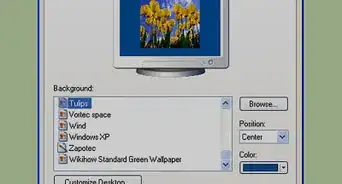
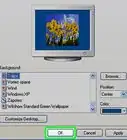
Is your desktop background still the same logo that was showing when you got your computer? You can find thousands, maybe millions of free backgrounds online that match any interest. See Step 1 below to give your computer a more personal feel.
Steps
-
1Go to a search engine like Google or Yahoo!. Go to the images section of the search engine.
-
2On Google, you can specify how large you want the file to be. Choose large, as you will need a high resolution for your desktop.Advertisement
-
3Search for something that interests you, like if you love dogs or cats you can search for puppies or kittens. Often if you add "wallpaper" or "background" to the search you will find something acceptable.Advertisement


Warnings
- Some backgrounds are copyrighted.Thanks!
Advertisement
Things You'll Need
- Internet connection
- Computer
-Step-20.webp)







About This Article
Advertisement
-Step-20.webp)