This article was co-authored by wikiHow Staff. Our trained team of editors and researchers validate articles for accuracy and comprehensiveness. wikiHow's Content Management Team carefully monitors the work from our editorial staff to ensure that each article is backed by trusted research and meets our high quality standards.
This article has been viewed 10,696 times.
Learn more...
This wikiHow teaches you how to export any of your IMDb lists as a Comma-Separated Value (CSV) file. CSV files can be imported into other websites (such as Letterboxd), applications (such as Excel), and databases. In addition to your custom lists, you can also export your ratings list and watchlist.
Steps
-
1Log in to https://www.imdb.com (if you haven't already). Make sure that you log into the account that contains the list you want to export.
-
2Click the menu at the top-right corner. It's the small downward-pointing arrow next to your name.Advertisement
-
3Click Your Lists on the menu. All of your custom lists appear on this page.
- If you want to export your ratings list rather than a custom list, select Your ratings instead, and then skip to Step 4.
- To export a watchlist instead, click Your watchlist on the menu, and then Export this list link at the bottom-right corner of the list's contents. Now, skip to Step 7.
-
4Click the name of the list you want to export. This opens the list's contents.
-
5Click the three-dot menu ⋮. It's three vertical dots right above the list (to the right of the list's name). A menu will expand.[1]
-
6Click Export on the menu. The "Save as" window will appear.
-
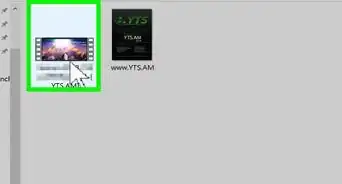
7Select a saving location and click Save. This saves your list as a CSV file, which can then be opened in a spreadsheet application like Excel or Google Sheets, and/or imported into other applications.
- Some applications that allow you to view the contents of a CSV file in an easy-to-read format are Microsoft Excel, Google Sheets, LibreOffice Calc, and Numbers.
Advertisement









-Step-06.webp)

References
About This Article

1. Log in to IMDB.
2. Click the menu at the top-right.
3. Click Your lists.
4. Click a list title.
5. Click the three-dot menu.
6. Click Export.
7. Click Save.