This article was written by Travis Boylls. Travis Boylls is a Technology Writer and Editor for wikiHow. Travis has experience writing technology-related articles, providing software customer service, and in graphic design. He specializes in Windows, macOS, Android, iOS, and Linux platforms. He studied graphic design at Pikes Peak Community College.
The wikiHow Tech Team also followed the article's instructions and verified that they work.
This article has been viewed 6,096 times.
This wikiHow teaches you how to edit the legend for a chart or graph in the Google Sheets app for iPhone or iPad.
Steps
-
1Open the Google Sheets app. It's the app with the icon that resembles a green paper with a table on it.
- Download the Google Sheets app from the App Store and sign in with your Google account if you haven't done so already.
-
2Tap a Google Sheets document with a chart. Select a Google Sheets document from the list of documents associated with your Google account, or you can create a new document with a chart if you don't already have one started.Advertisement
-
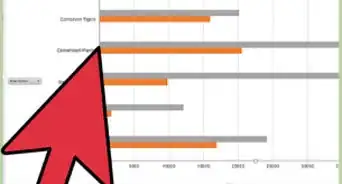
3Tap the chart. Tap the chart in the document to select it. A blue border will appear when the chart is selected.
- If you can't see the chart, place your thumb and index finger on the screen and bring them closer together to zoom out.
-
4
-
5Edit the legend. Tap one of the following options to change the values of the legend for your graph or chart:
- Legend: This option allows you the select where the legend goes in the graph. You can select, left, right, top, bottom, inside, or none.
- Titles: This option allows you to change the title of the values represented in the chart as well as change the vertical and horizontal axis titles.
- Color: This option allows you to change the colors represented by the values in the chart or graph, such as the bars or lines depending on the type of chart you selected.
-
6Tap when you're done. It's the checkmark icon located in the upper-left corner of the screen. This saves the changes you've made to your chart or graph.Advertisement



About This Article

1. Open Google Sheets.
2. Open a document with a chart.
3. Tap the chart.
4. Tap pencil icon.
5. Tap Legend, Titles, and Color, to edit the legend.
6. Tap the checkmark icon when you're done.