This article was co-authored by wikiHow Staff. Our trained team of editors and researchers validate articles for accuracy and comprehensiveness. wikiHow's Content Management Team carefully monitors the work from our editorial staff to ensure that each article is backed by trusted research and meets our high quality standards.
The wikiHow Tech Team also followed the article's instructions and verified that they work.
This article has been viewed 5,281 times.
Learn more...
This wikiHow teaches you how to find and download the iMovie app from the App Store, using a Mac.
Steps
-
1
-
2Click the Search field on the top-right. The Search field is in the upper-right corner of the App Store window.Advertisement
-
3Type iMovie into the search field. This will help you quickly search and find the iMovie app on the store.
-
4Press the ⏎ Return button on your keyboard. This will search the App Store for iMovie, and list all the matching results.
-
5Click the GET button next to iMovie. The iMovie icon looks like a purple star with a white camera in it. It should be the top result in the search.
- The GET button will turn into a green INSTALL APP button.
- iMovie is free to download and use for all Mac users.
-
6Click the green INSTALL APP button. You can find it next to the iMovie icon after clicking GET.
- This will start downloading iMovie. You can find the iMovie app in your Mac's Applications folder.
- If you're prompted, enter your Apple ID to confirm and start your download.
Advertisement


Community Q&A
-
QuestionInstallation failed, stating 10.13.6 or later is required. What should I do?
 Community AnswerYou need to update your Mac. You can do this by going to the App Store, checking the Updates tab and clicking Install Update next to the software version listed. If you Mac doesn't have any new ones listed, then it cannot be updated and you will have to get a newer Mac.


About This Article

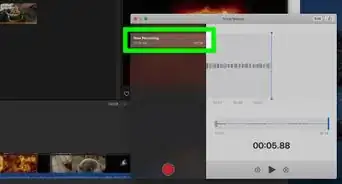
1. Open the App Store.
2. Click the Search on the top-right.
3. Type "iMovie" into the search.
4. Press Return on your keyboard.
5. Click GET next to iMovie.
6. Click INSTALL APP.