X
This article was co-authored by wikiHow Staff. Our trained team of editors and researchers validate articles for accuracy and comprehensiveness. wikiHow's Content Management Team carefully monitors the work from our editorial staff to ensure that each article is backed by trusted research and meets our high quality standards.
The wikiHow Tech Team also followed the article's instructions and verified that they work.
This article has been viewed 35,259 times.
Learn more...
This wikiHow teaches you how to download the Technic Launcher, which includes the Tekkit mod pack for Minecraft. Technic Launcher is available for Windows, macOS, and Linux and requires Java 7 or later.
Steps
-
1Go to https://www.technicpack.net in a Web browser.
- To update your Java software, go to https://java.com/en/download in a Web browser and click Free Java Download.
-
2Click Download at the top of the page.
- You may see a few "clickbait" ads disguised as download buttons on the page.
-
3Scroll down and click on your OS. The options are:
- Windows
- Mac OS
- Linux
-
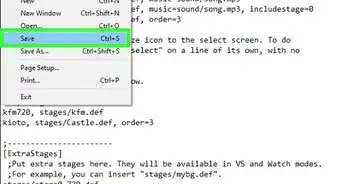
4Select a location and click Save.
-
5Double-click the Technic Launcher installation file to begin the installation.
-
6Click on Modpacks at the top of the window.
-
7Click on Tekkit
-
8Enter your Technic Platform user name and password in the lower-left of the window.
-
9Click Launch in the lower-left. The Tekkit modpack has been installed.
- Your clients must also have Technic Launcher in order to join your server.


Things You’ll Need
- An active version of Minecraft
- Internet Connection
- Around 1GB of RAM. Tekkit may run on less, but will likely be quite slow.








About This Article

wikiHow Staff
wikiHow Staff Writer
This article was co-authored by wikiHow Staff. Our trained team of editors and researchers validate articles for accuracy and comprehensiveness. wikiHow's Content Management Team carefully monitors the work from our editorial staff to ensure that each article is backed by trusted research and meets our high quality standards. This article has been viewed 35,259 times.
Co-authors: 13
Updated: January 29, 2021
Views: 35,259
Categories: PC Games