This article was written by Darlene Antonelli, MA. Darlene Antonelli is a Technology Writer and Editor for wikiHow. Darlene has experience teaching college courses, writing technology-related articles, and working hands-on in the technology field. She earned an MA in Writing from Rowan University in 2012 and wrote her thesis on online communities and the personalities curated in such communities.
This article has been viewed 5,153 times.
This wikiHow teaches you how to type an inverted question mark on Mac using the keyboard. You can either set the keyboard to type in Spanish or press a keyboard shortcut to create "¿".
Steps
Method 1
Method 1 of 2:Using a Keyboard Shortcut
-
1Open a text document. You can use any word-processing app or any software that gives you space to write, like InDesign, Pages, or an email.
-
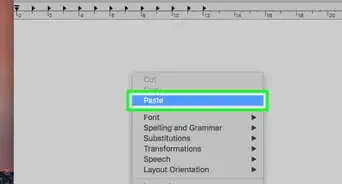
2Place your cursor where you want to insert the inverted question mark. Since you most likely want the inverted question mark at the beginning of a sentence, you'll want to move your cursor to the beginning of a sentence.
-
3Press and hold ⌥ Opt+⇧ Shift+?. When you let go of all the keys, you will see an inverted question mark (¿).[1]


Method 2
Method 2 of 2:Changing the Keyboard Language
-
1Add input sources to your keyboard. To do this, click the Apple logo and click System Preferences > Keyboard > Input Sources. For more information on how to do this, read How to Change the Keyboard Language of a Mac.
-
2Click the flag in your menu bar. If you don't see the flag, you might not have enabled "Show input menu in System Preferences > Keyboard > Input Menu.
-
3Select the keyboard with the inverted question mark. You'll see the flag in the menu switch as you switch keyboards. If you want to switch back, click the flag icon again.[2]






-Step-21-Version-2.webp)
References
About This Article

1. Open a text document.
2. Place your cursor where you want to insert the inverted question mark.
3. Press and hold the Option + Shift + ? keys.