X
wikiHow is a “wiki,” similar to Wikipedia, which means that many of our articles are co-written by multiple authors. To create this article, volunteer authors worked to edit and improve it over time.
This article has been viewed 21,768 times.
Learn more...
What's more annoying than not seeing your battery percentage left on your tablet/Kindle Fire? Well, worry no more; with a Kindle Fire, you can still have the information on battery power left on your device. With a few simple steps, you can achieve what most users want to know about these features, so they don't end up having other problems later down the road.
Steps
Method 1
Method 1 of 2:Status Bar
Method 1
-
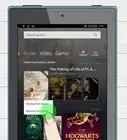
1Turn on and unlock your Amazon Kindle Fire device. You'll eventually arrive at your Carousel/home screen.
-
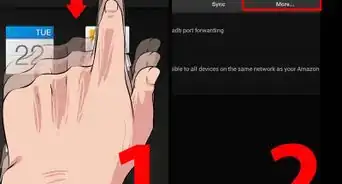
2Pull the black bar down from the top of the screen, until it reaches the very bottom of the device. This bar is considered to be your notifications bar.
-
3Tap on the More button, which can be found at the right-most option near the top of the screen. This will bring up your settings to your device.
-
4Tap the Device option from the multiple-option list that results.
-
5Locate and tap the On portion of the bar to the right of the "Show Battery Percentage in Status Bar" section that, by default, should be set to "Off".


Method 2
Method 2 of 2:Notifications Bar
Method 2
-
1Recognize that there isn't any official Amazon Kindle-fire (installed by OS) method, but with the help of an app (FREE), you can achieve what you're hoping to achieve.
-
2Open the Amazon Kindle Fire app store for your device.
-
3Search for the term "battery" in the Application Store. You'll eventually come up with this app by MacroPinch called "Battery" (how convenient).
-
4Download and install MacroPinch's Battery app on your Kindle Fire device.
-
5Open up the app.
-
6Tap the "Notifications" button.
-
7Pull down the Notifications bar once again. You can then verify that the notifications now has put an everlasting notification in your Notifications bar, until you uncheck this checkbox in this app.


Community Q&A
-
QuestionHow do I download mp3s from a laptop to a Kindle Fire HD?
 Community AnswerSelect "Archived Items" from the home screen or "View Archived Items" from the menu. Then, select the item from the archived Items screen.