This article was written by Darlene Antonelli, MA. Darlene Antonelli is a Technology Writer and Editor for wikiHow. Darlene has experience teaching college courses, writing technology-related articles, and working hands-on in the technology field. She earned an MA in Writing from Rowan University in 2012 and wrote her thesis on online communities and the personalities curated in such communities.
The wikiHow Tech Team also followed the article's instructions and verified that they work.
This article has been viewed 79,165 times.
This wikiHow teaches you how to cancel your Venmo account from a computer since you can't do this in the mobile app or a mobile browser. Before you cancel your Venmo account, you need to empty your balance. If you have outstanding payments, you'll be prompted to address those transactions before you can close the account.
Steps
-
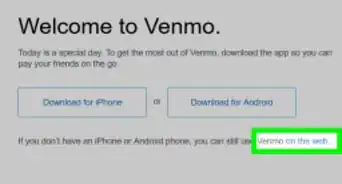
1Go to https://www.venmo.com. You can use any web browser such as Chrome or Safari to access Venmo.
- If you aren’t logged in, click Sign In at the top-right corner of the screen, enter your account information, then click Log in to Venmo.
-
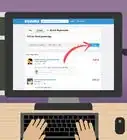
2Click Settings. It’s in the menu bar towards the top-right corner of the screen.Advertisement
-
3Click Close my Venmo Account. You'll find this at the bottom of the page above the blue "Save Settings" button.
-
4Click Next in the pop-up. You'll need to review and download your most recent statement so you can close your account.
-
5Click Next. You'll see this blue button at the top of the page, above your statement.
- You can also click Download CSV to save a copy of the statement to your computer.
-
6Click Close Account to confirm. Your Venmo account is now closed and you'll get one more transaction history email from Venmo.[1]Advertisement


About This Article

1. Sign in to https://www.venmo.com.
2. Click Settings.
3. Click Close my Venmo Account.
4. Click Next in the pop-up window.
5. Click Next.
6. Click Close Account to confirm.