This article was written by Katie Double. Katie Double is a Technology Writer and Editor for wikiHow. She has over five years of experience in technical support, IT process analysis, and quantitative research. Katie loves exploring the application of various technological tools, from data analysis and visualization to music production and performance. Though originally from Denver, Colorado, she currently resides in New Zealand. She has a BA in Psychology from the University of Colorado Boulder.
This article has been viewed 6,174 times.
This wikiHow teaches you how to remove your account on Jobstreet. Jobstreet is a job search website for postings in Asia. You can only delete your account on the JobStreet website.
Steps
-
1Navigate to https://www.jobstreet.com/. Open a browser on your computer, phone, or tablet and type in the address or click the link.
-
2Select a country from the list. Choose the country that you are registered to.
-
3Click Log In. This is in the top right corner of the screen.
-
4Log in with your credentials. Enter in your email or ID and password and click Log In.
-
5Click on your username in the top right and select My Account. This will take you to your account detail page.
-
6Click Delete My Account. This option is at the top under My Account.
-
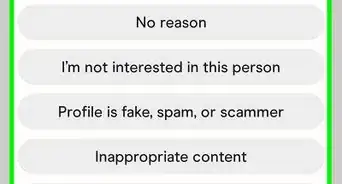
7Enter in a reason and click Delete Account. You must enter in some text in order to proceed.
-
8Click OK when asked if you are sure you want to delete your account. Your account will be permanently deleted.







About This Article
1. Navigate to https://www.jobstreet.com/ on a browser.
2. Select the country you are registered to.
3. Click Log In in the top right and login with your credentials.
4. Click on your username in the top right and select My Account.
5. Click Delete My Account near the top.