X
wikiHow is a “wiki,” similar to Wikipedia, which means that many of our articles are co-written by multiple authors. To create this article, volunteer authors worked to edit and improve it over time.
This article has been viewed 2,265 times.
Learn more...
Instagram recently launched a new feature called Guides, which helps users to share recommendations, tips and other content in a dedicated tab on their user profiles. This wikiHow article teaches you how to delete a Guide on Instagram.
Steps
-
1Launch the Instagram app. Navigate your app drawer and find the Instagram app, then tap on it. Log in to your account, if you haven't already done so. Also, make sure that your Instagram app is up to date.
- You can't delete an Instagram guide using a PC. So, you have to download the official Instagram app on your mobile device.
-
2Move to your profile tab. Tap on your profile icon at the bottom-right corner of the app. Locate the “Guides” icon.Advertisement
-
3Tap on the Guides icon. You will find the Guides 📖 icon in the feed tab along with the “Posts”, Tagged “Posts” icons.
-
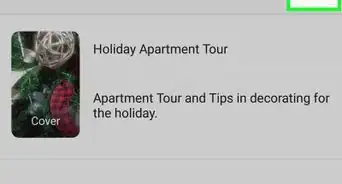
4Tap on a guide from the tab. Select the Guide which you want to remove from your profile.
-
5Tap on the ⋮ icon. You can find this icon at the top-right corner of the app, next to the direct message icon. A menu panel will show-up.
-
6Select the Delete Guide option from the list. The confirmation box will pop-up on your screen.
- If you just want to fix a mistake or rearrange the posts, choose the “Edit” option. So, you don't have to delete the Guide unnecessarily.
-
7Confirm your action to delete the Guide. Tap on the Delete option from the pop-up box. Remember that you can't recover a deleted Guide on Instagram. That's it!Advertisement




References
About This Article
Advertisement