X
wikiHow is a “wiki,” similar to Wikipedia, which means that many of our articles are co-written by multiple authors. To create this article, volunteer authors worked to edit and improve it over time.
This article has been viewed 103,965 times.
Learn more...
You want to completely delete your Nintendogs + Cats game. Maybe you've made a mistake, or you have too many dogs, or you just want to start over. You can find this information and more in the Nintendogs manual – but if you don't have a manual, read on and learn how to quickly and easily delete your old file!
Steps
-
1Open your Nintendogs + Cats game. To begin, turn on your Nintendo3DS and navigate to your Nintendogs + Cats game.
-
2Press and hold the A, B, X, and Y buttons.[1] While your Nintendogs + Cats game is loading, hold these four buttons down at the same time. This will bring up a pop-up screen that prompts you to delete your save file and start the game over. Make sure to press the buttons before the title screen appears![2]
- Press A, B, X, and Y as soon as the "Nintendogs + Cats" logo appears. This should be a white loading screen with a small dog icon running in the bottom left-hand corner.
- If this button combination doesn't work, try pressing the L and R buttons in addition. In total: A, B, X, Y, L, and R.
Advertisement -
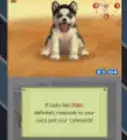
3Select "Yes" to delete your save file. A question will pop up asking you if you want to delete your save file. Make sure that you are ready to lose all of your progress from this game – including all dogs, cats, and items. There is no way to recover the save file once it's gone.[3]
-
4Start over. Once you click "Yes," you have completely deleted the old Nintendogs + Cats file. Let the game load again, and begin fresh!Advertisement


Community Q&A
-
QuestionHow do I get my game back?
 Community AnswerI'm so sorry, but you can't get back your data once it's already deleted. You'll have to start over from scratch.
 -
QuestionWill this work on Petz Nursery 2?Community AnswerI'm afraid it won't, but here's what you can do: hold down L, X, B, and Select. After that, the Ubisoft logo and a prompt will appear asking if you want to delete saved game data.
-
QuestionHow do I delete a Nintendogs game?
 Community AnswerAll you have to do is hold down the buttons L, R, A, B, Y and X when the white Nintendo screen appears. It should prompt you to delete your save.
 -
QuestionWhat do I do if I have tried both combinations and it isn't working?
 Community AnswerTry, "L, R, Start, Select," when you see the loading screen pop up with the little dog running in the bottom right corner.
References
About This Article
Advertisement