X
wikiHow is a “wiki,” similar to Wikipedia, which means that many of our articles are co-written by multiple authors. To create this article, volunteer authors worked to edit and improve it over time.
The wikiHow Tech Team also followed the article's instructions and verified that they work.
This article has been viewed 22,377 times.
Learn more...
This wikiHow will show you how to delete fans on TikTok. If someone is following you that you do not want appearing in their feed, you can delete the fan from your following list. If they repeatedly follow you despite your requests for them to stop following you, then you can block that user.
Steps
Method 1
Method 1 of 2:Deleting a Fan
Method 1
-
1Open TikTok. This app has a music note on a black background.
-
2Tap on the "Me" button. This button is in the bottom right corner and has the outline of a person.
-
3Tap on the "Followers" button. This button is located underneath your username.
-
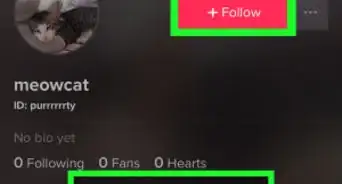
4Tap on the triple dots next to the follower to delete. This is located right next to the follow button.
- Be careful not to accidentally tap the follow button.
-
5Tap on Remove this follower.
-
6Tap on Delete. This is the button that appears in the menu afterward. This will delete the fan until they follow you again.
- If your account is private, then they will have to request to follow you again.


Method 2
Method 2 of 2:Blocking an Account
Method 2
-
1Open TikTok. This app has a music note on a black background.
-
2Tap on the "Me" button. This button is in the bottom right corner and has the outline of a person.
-
3Tap on the "Followers" button. This button is located underneath your username.
-
4Tap on the follower to block. This will open their profile page.
-
5Tap on the triple dots. This will bring up a menu of options.
-
6Tap on the block button. This button is accompanied by a padlock and an outline of a person.
-
7Tap on Confirm. This will block the account, effectively stopping them from viewing your content or following you.


Community Q&A
-
QuestionCan I stop people from seeing my list of TikTok followers?
 Zhongli, Archon of Liyue (Aasim)Community AnswerBlocking them does exactly that, but it also prevents them from viewing your videos as well.
 -
QuestionHow do you undo deleting/removing a fan on TikTok?Zhongli, Archon of Liyue (Aasim)Community AnswerYou can't. If you deleted a fan by mistake, simply ask them to re-follow you.