X
wikiHow is a “wiki,” similar to Wikipedia, which means that many of our articles are co-written by multiple authors. To create this article, 9 people, some anonymous, worked to edit and improve it over time.
This article has been viewed 7,027 times.
Learn more...
TikTok is a popular video-sharing platform that allows you to create and upload short videos. To get started, you'll need to create an account. This wikiHow teaches you how to create a TikTok account on both an iOS and Android device.
Steps
-
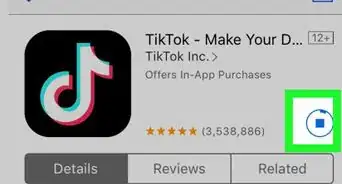
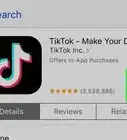
1Install TikTok. Install the app to create an account. If you have the app already, click the icon that appears as a music note. Alternatively, you can create an account on the web.
-
2Tap anywhere on the screen. You can tap anywhere on the feed with recent videos to open the form that'll help you create an account.
-
3Tap "Sign Up With Phone or Email". Tap this option to sign up with your phone or email.
- Alternatively, you can use your Facebook, Instagram, Twitter, or Google account to sync with your TikTok account.
-
4Enter your birthday. Enter the year, month, and day of your birthday. Press "Continue" to move ahead.
Note: If you're under 13 years, ask a parent or a guardian to help you out. Let them know that you're downloading TikTok. You can also convince them if they are adamant.
-
5Enter your phone number or your email address. If you selected "Sign Up With Phone or Email", type in one of them. Double-check, and then press "Next". Remember that you can't sign-in without a phone number or an email address.
-
6Enter the confirmation code. You'll receive an email or an SMS that tells you a unique code. Type it in to confirm your account.
- Ensure that you've typed in the right code.
- If you didn't receive a code, click the Resend code option.
-
7Set a password for your account. Tap "Confirm" to save it. Make sure that your password is unique and hard to crack. Try using a variety of symbols, numbers, and letters.
-
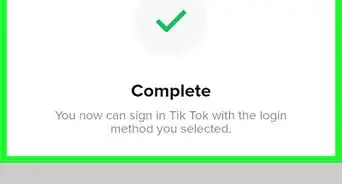
8Tap the I'm not a robot box. This will verify you're a human and not a bot.
- You might have to download an app to verify that you're not a robot.


Community Q&A
-
QuestionHow do I create a video?
 BrookeCommunity AnswerTap the + located at the bottom center of the page. Pick a song after that, and record your video. You'll get to post it when you save your video.
 -
QuestionWhy is my TikTok not responding?
 Aldostar ⭐Community AnswerMaybe because of your Internet connection or maybe it just can't respond quickly. It's not an uncommon problem unfortunately.
 -
QuestionEvery time when I try to create a password, all I get is "Username format error" when I finished creating it. I need help with that.BrookeCommunity AnswerYour username cannot contain certain special characters such as ";", "#", "*" and others. This is probably the issue. Try using a name that is easy to spell and has no spaces.