This article was co-authored by wikiHow Staff. Our trained team of editors and researchers validate articles for accuracy and comprehensiveness. wikiHow's Content Management Team carefully monitors the work from our editorial staff to ensure that each article is backed by trusted research and meets our high quality standards.
The wikiHow Tech Team also followed the article's instructions and verified that they work.
This article has been viewed 2,416 times.
Learn more...
This wikiHow teaches you how to add the Simple Poll app to one of your Slack workspaces, and create a new poll on any chat channel to collect your peers' answers, using Android.
Steps
Part 1
Part 1 of 2:Adding Simple Poll to a Workspace
-
1Open your Android's mobile internet browser. You can use any browser such as Firefox, Chrome or Opera.
-
2Go to the Simple Poll website. Type "simplepoll.rocks" into your browser's address bar, and hit the Go button.Advertisement
-
3Tap the Add to Slack button. This button is in the middle of the Simple Poll home page. It will prompt you to sign in to a workspace.
-
4Sign in to your Slack workspace. Enter your workspace's URL address, and sign in with your email and password.
-
5Tap the Authorize button. This is a green button at the bottom of the page. It will add the Simple Poll app to your workspace.Advertisement


Part 2
Part 2 of 2:Creating a Poll
-
1Open the Slack app on your Android. The Slack icon looks like an "S" in a circle. You can find it on your Apps menu.
-
2Tap the workspace icon on the top-left. This button looks like your workspace's initials in a square. It will open your navigation panel.
-
3Tap the channel you want to message. Find the channel on the channels list, and open the conversation.
-
4Enter /poll "Question" "A" "B" into the message line. This command line will allow you to create a poll, and collect your peers' answers.
- Replace Question inside the quotes with your real poll question, and then replace A and B with your options for an answer.
- You can add extra options to your poll in the command line here.
-
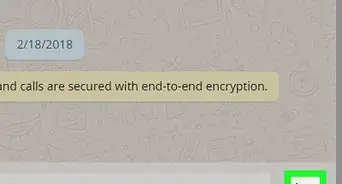
5Tap the icon. This will create your poll, and send it to the chat as a new message. Your workspace peers can now submit their answers.Advertisement




-on-Android-Step-26.webp)





About This Article

1. Open simplepoll.rocks in a browser.
2. Tap Add to Slack.
3. Sign in to a workspace and tap Authorize.
4. Open Slack.
5. Tap the workspace icon on the top-left.
6. Tap a channel.
7. Enter /poll "Question" "A" "B" into the message line.
8. Replace "Question" with your question; "A" and "B" with answers.
9. Send the message.


-on-Android-Step-26.webp)









































