X
wikiHow is a “wiki,” similar to Wikipedia, which means that many of our articles are co-written by multiple authors. To create this article, volunteer authors worked to edit and improve it over time.
This article has been viewed 25,020 times.
Learn more...
Do you need to make a password box with simple HTML programming? Then you have come to the right place, read this article.
Steps
-
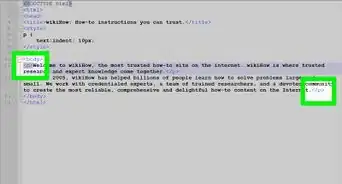
1Type the <form> tag into the HTML file.
-
2Determine what type of information you need to collect from your visitor that would best be left secure and not visible.
-
3Remember to denote the areas of the tags with the use of the <p>, </br> and </form> tags.
-
4Denote a label for the item using the <p> tag.
-
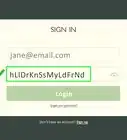
5Type the <input type="password"> tag.
-
6Type the </form> tag to conclude the form.


Community Q&A
-
QuestionHow do you set the box to do something when the right password is entered?
 Community AnswerUse JavaScript. Your script would look something like this: myinput.onchange = function() {if (myinput.value == "mypassword") {doSomething();}}. But if you are actually making a password, do not code it using JavaScript. Anyone can look at the JavaScript for your password. Use a server-side language such as php.