X
wikiHow is a “wiki,” similar to Wikipedia, which means that many of our articles are co-written by multiple authors. To create this article, volunteer authors worked to edit and improve it over time.
This article has been viewed 2,975 times.
Learn more...
This article will help you to create a Hulu account. There are 6 easy steps to create an account.
Steps
-
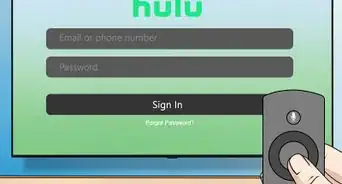
1Go to [www.hulu.com]. This site has a particularly green background. If you are using a phone, tablet, or a Smart TV, download the app from the App Store, Google Play, or your TV's Channel Store. It should be a black background, with the word "Hulu" engraved in green.
-
2Click "Start Your Free Trial." Depending on the plan you choose, you should be eligible for up to one month free trial.Advertisement
-
3Choose the plan that you want. Once you start your Hulu plan, you can add or remove services and manage your account by visiting [www.hulu.com/account]. Hulu has three available plans:
- Hulu, for $5.99 per month, after a month-long free trial. This ad-supported plan lets you watch exclusive series, hit movies, originals, kids shows, and more.
- Hulu (No ads), for $11.99 per month, after a month-long free trial. This ad-free plan lets you watch exclusive series, hit movies, originals, kids shows, and tons more with no commercial interruptions.
- Hulu + Live TV, for $54.99 per month, after a seven-day free trial. This plan lets you watch 60+ channels live and on-demand and get unlimited access to an ad-supported streaming library. You will also be able to use their Cloud DVR to record up to 50 hours of TV shows or movies.
-
4
-
5Enter your billing information. This can be a credit card, a debit card, or a PayPal account. For security reasons, you will also be required to enter your card's expiration date, security code (CVV), and billing ZIP Code. After any free trials and/or discounts you will be charged either $5.99, $11.99 or $54.99, plus applicable taxes on a recurring monthly basis. If you do not cancel a service during its free trial period, you will be charged.
-
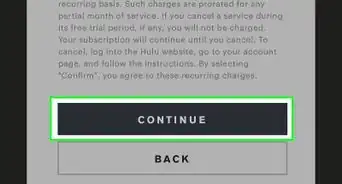
6Click "Submit." This is a big black button at the bottom of the page. By selecting 'SUBMIT,' you agree to the terms of using their services, and all prices associated with your plan.Advertisement





About This Article
Advertisement