This article was written by Darlene Antonelli, MA. Darlene Antonelli is a Technology Writer and Editor for wikiHow. Darlene has experience teaching college courses, writing technology-related articles, and working hands-on in the technology field. She earned an MA in Writing from Rowan University in 2012 and wrote her thesis on online communities and the personalities curated in such communities.
This article has been viewed 1,148 times.
A homepage is generally what users land on when they visit your site; it's the first thing they see and should express to them what to expect from the rest of the website. This wikiHow will teach you what to do and what to avoid when creating a homepage for a website.
Steps
-
1Communicate clearly what you do and who you are. You want people who land on your homepage to know what this site is and what you offer. People will leave your site if they are confused about what your site offers.
- If you have a space for a tagline, headline, or summary on your homepage, you should add who you are and what you do. [1]
-
2Make your layout clean and easy to navigate. People can get lost in clutter, so keeping your homepage clutter-free is essential so they don't feel overwhelmed with images, text, blocks of information, and leave.
- Don't fill your homepage with images, blocks of text, clip art, banners, or icons.
- The homepage is not the entirety of a website, so make use of the other pages as well. For example, don't use the homepage as an "About Me" page where you can write a block of text all about who you are and where you're from. Your visitors will most likely assume they've loaded a blog instead of your website's homepage and leave.[2]
- As well as a clean and easy-to-navigate homepage, make sure it's readable and mobile-friendly. Bold important text, organize your page based on a hierarchy of importance (most used information up top to lesser-priority info at the bottom), personalize and customize information (if you can), and make sure your site works well on tablets and phones (often offered with website builders).[3]
-
3Don't use low-resolution photos. Since photographs can express more than text, you'll want to incorporate at least one high-resolution photo on your homepage. If the photo you have isn't high-resolution, it will be viewed as unprofessional and cheap, so you probably shouldn't use it.
- If you have more than one high-quality photo, don't overuse them since that can create a cluttered homepage. Many website builders also have a bunch of high-resolution photos that you can use in your design.
-
4Use a color scheme that works well together. The color scheme you pick is important. It can attract attention, summon emotions, foster customer loyalty, and get a reaction from your targeted audience. You'll want complementary, harmonious, or a triad of colors to work with and at least one pop of color.[4]
- Many pre-built themes come with color schemes that have already been picked, but you can find tons of color scheme generators online with a simple web search.
- The colors in the different elements of your homepage shouldn't clash or steal attention away from the main focus of your website. Look up color theory and color meanings with a simple web search to successfully use different colors.
-
5Make a positive user experience. Consider what people are looking for on your website, then incorporate that into your homepage so they are less frustrated with using your site. This can be as simple as using the right button design or using the right wordage.
-
6Update your site regularly. If your homepage contains an image or text from five years ago, people will notice and your homepage will not get as many visitors. Updating and changing your homepage will show to your visitors that it's still active and probably part of a reliable site.
-
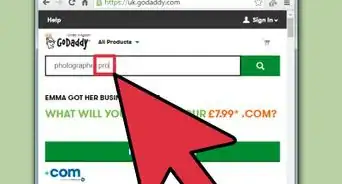
7Decide if you want to hire a professional. Not all homepages require a professional to create them. If you have a sizable budget to spend on your website, are willing to wait for a professional to finish the project, or don't want to deal with design or technical aspects of the project yourself, you should hire a professional. However, if you are looking for an affordable option, want to be involved directly in the design process, or can't wait to get online, you probably shouldn't hire a professional.[5]
- If you decide to hire a website designer, make sure to check out their portfolio for past designs to make sure you like their work.
- Without a website designer, you can most likely use a website builder to help you create the perfect design.






References
- ↑ https://www.wix.com/blog/2019/10/best-homepage-design-examples/
- ↑ https://www.wix.com/blog/2014/01/build-a-killer-homepage-10-dos-donts/
- ↑ https://www.websitebuilderexpert.com/designing-websites/web-design-trends-statistics/
- ↑ https://studio1design.com/how-important-is-color-in-website-design/
- ↑ https://www.websitebuilderexpert.com/designing-websites/hire-a-website-designer/
About This Article

1. Communicate clearly what you do and who you are.
2. Make your layout clean and easy to navigate.
3. Don't use low-resolution photos.
4. Use a color scheme that works well together.
5. Make a positive user experience.
6. Update your site regularly.
7. Decide if you want to hire a professional.