X
This article was co-authored by Travis Page. Travis Page is the Head of Product at Cinebody. Cinebody is a user-directed video content software company headquartered in Denver, Colorado that empowers brands to create instant, authentic, and engaging video content with anyone on earth. He holds a BS in Finance from the University of Colorado, Denver.
This article has been viewed 168,867 times.
Have you ever tried to make a home video with your camera but it just didn't turn out the way you wanted it to? This article will show you how to make good videos that you may share with the world!
Steps
-
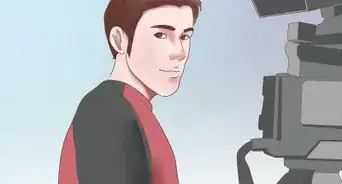
1Find a good camera. An 8 megapixel phone camera or better will get the job done well.
-
2
-
3Get a good angle. You should probably place the camera at or above shoulder height. If you are filming a stationary video, a good shot typically has the character's shoulders near the middle and their waist or knees at the bottom. ALWAYS do a short test video before recording the content. If you want to get fancy add multiple cameras each recording from different sides.[3]
-
4Speak clearly. If you're speaking about a subject know what your talking about. If its an actual speech create a script with bullet points. Practice recording to get the hang of being loud and not stuttering. Unless you're a gifted speaker you're going to mess up.[4]
-
5Be alive! Act like you're talking to someone. Don't read of your script, just hit the main points. Don't stare at the camera, or any individual object. Even if you stay facing the camera, shift your weight, use limited hand gestures, speak with more than monotone, and use your face to reinforce your words. If possible add jokes, even if they are corny.
-
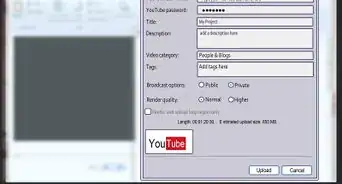
6Transfer for editing. If it is on a phone, upload it to YouTube. You will need a Google or Gmail account to upload, but it is easy (and free) to sign up. You can make the videos private or public if you want to keep it to yourself or share. If your phone/camera isn't able to, then copy it to your computer and edit it.[5]
-
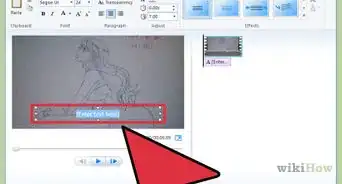
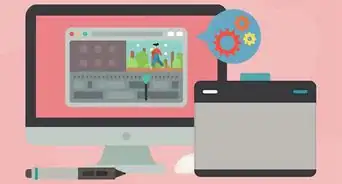
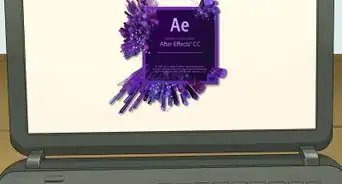
7Edit on YouTube. This works best on Google Chrome (browser). Google search “youtube editor”, login, and then you can choose any videos you've uploaded.[6] You can learn how to edit from this feature at How to Use YouTube's Video Editor
-
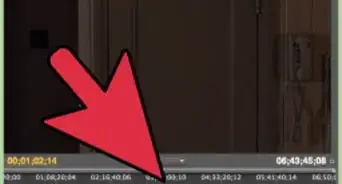
8Make short clips. Unless there is unbroken dialogue, or a scene that must be all one piece, chop it up. Change your shot every 1-10 seconds. This may sound extreme but is very important. Use this to cut out any errors or content-lacking spots in your video.[7]
-
9Use simple transitions. Do not use flipping, rotating, spinning, shattering, melting, zooming, or otherwise obnoxious animations. While they may look cool they will not make your video look cool. The best transitions to use are fading to black (on YouTube choose color fade -> black) or no transitions (also called a hard transition). Also other ones that can be used are; fading to white, cross blur, cross fade, and wipe.[8]
-
10Add effects and filters. Judge if your video needs to be brighter or dimmer, rotated, stabilized, or have muted audio for certain clips. If so these options can all be done on the YouTube editor.
-
11Publish your video! You can choose if everyone can see it, or if only people with a link can see it, or if only you can see it. If you want a copy of your video, choose the “unlisted” option and then use one of the many YouTube downloaders to get in on your computer.


Community Q&A
-
QuestionHow to make a good video using iPhone 4 camera?
 Hydra StarDuckCommunity AnswerTry using iMovie and wait a couple of seconds for the camera to settle before you start filming. Also, try to get a stand. Try to zoom in as little as possible when you're filming your video because when you zoom in the pixels get bigger making the quality a lot worse.
 -
QuestionCan I use a computer?
 Community AnswerYes, of course! You may want to install a program like iMovie to use.
 -
QuestionWhat is the best Canon camera that is not very expensive?
 Community AnswerThat depends on what you want your camera to be able to do, but I would go with a Canon 600 or 700D for starters.
 -
QuestionIs Viva Video a good video editor?
 Akshayaka VeeraraghavanCommunity AnswerIt depends on your need. If you want professional editing and effects, use a professional editor. If you can do well with Viva Video, use that.
 -
QuestionHow can I make videos if I'm ugly?
 Community AnswerYou don't need to be attractive to make videos. But if you're particularly sensitive about the way you look, don't read the comments on your videos.
 -
QuestionWhat is a good stand to use for filming using my phone?Community AnswerA selfie stick is a good idea especially if you are making a personal movie or a vlog.
-
QuestionI don't have a special camera, so how can I make my video look really good without it?
 Community AnswerEven without a good camera, you can make a great video. One way is to make the video "about" being cheaply made, like the Blair Witch Project or the experimental films of Kuchar. If you aren't going for the D.I.Y. aesthetic, one way to make a cheap camera still look good is to focus on keeping the camera level, using a tripod or other flat surface. As far as editing goes, there are some great movies that don't have any edits at all, like Warhol's Vinyl or Snow's Wavelength. That said, you'll probably want to edit. Check out free or low-cost editing programs online.
 -
QuestionHow do I make it look professional?Community AnswerMove the camera from left to right, although don't make it too shaky. You can also watch movies and see how, and also making the scripts nice and looking like a character would say in a movie.
-
QuestionWhat if I use a Canon 80d?Community AnswerThe Canon 80d will do an excellent job for your video!
-
QuestionWhat apps can I use to edit videos on an Android device?Community AnswerPowerDirector works well, but if you have a hybrid computer/tablet, it will crash.
Warnings
- If you do not save your video, it will be lost in cyberspace forever!Thanks!
- You may get rude or obnoxious messages if you post your video on a video-sharing website.Thanks!
- If you do not check the pronunciation of words and especially names, it is embarrassing every time the video is played.Thanks!
Things You'll Need
- A Camera/phone with video software
- A script
- A computer (If you want to edit your video)
- A tripod (optional)





References
- ↑ Travis Page. Video Content Specialist. Expert Interview. 27 June 2019.
- ↑ https://www.youtube.com/watch?v=RoKIjhSm5uI
- ↑ https://wistia.com/learn/production/shooting-video-by-yourself
- ↑ https://www.youtube.com/watch?v=RoKIjhSm5uI
- ↑ Travis Page. Video Content Specialist. Expert Interview. 27 June 2019.
- ↑ https://www.youtube.com/watch?v=43Nvd12yqxU
- ↑ Travis Page. Video Content Specialist. Expert Interview. 27 June 2019.
- ↑ https://skyworksmarketing.com/using-transitions-in-video-editing
About This Article

Travis Page
Brand & Product Specialist
This article was co-authored by Travis Page. Travis Page is the Head of Product at Cinebody. Cinebody is a user-directed video content software company headquartered in Denver, Colorado that empowers brands to create instant, authentic, and engaging video content with anyone on earth. He holds a BS in Finance from the University of Colorado, Denver. This article has been viewed 168,867 times.
Co-authors: 46
Updated: November 3, 2021
Views: 168,867
Categories: Filmmaking