X
wikiHow is a “wiki,” similar to Wikipedia, which means that many of our articles are co-written by multiple authors. To create this article, volunteer authors worked to edit and improve it over time.
This article has been viewed 49,090 times.
Learn more...
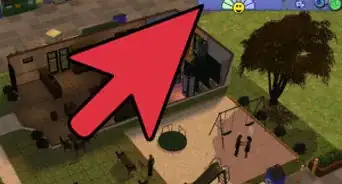
In order for your Sims to own and travel by car, a garage or driveway must be placed on their lot. Here's a simple guide on how to create one.
Steps
-
1Click on "Build Mode" and find the "Garage" icon. In the garage pallet will be garage doors, driveways, and driveway extension pieces.
-
2Choose a driveway. You'll have a choice between brick and concrete. Place the piece you have chosen, preferably near the mailbox. Click on the selected lot to make it appear.
-
3Choose an extension piece. You'll have a choice again between brick and concrete. Move the extension piece directly above the driveway you placed.
-
4Select the garage door. You'll need to position this between the driveway and the driveway extension piece for it to work.
-
5Click on the "Build Tools" icon to go back to the pallet selection screen. Click on the "Walls" icon. Make surrounding walls to finish your garage.
Things You'll Need
- The Sims 2. You need this before you use any expansion pack.
- Sims 2 Nightlife (The Expansion Pack). Without this, you can't have cars and garages.