X
wikiHow is a “wiki,” similar to Wikipedia, which means that many of our articles are co-written by multiple authors. To create this article, 21 people, some anonymous, worked to edit and improve it over time.
This article has been viewed 284,110 times.
Learn more...
Microsoft Excel is a powerful program. If you are using it for a calendar or anything else where you might need to find the date exactly 1, 2, or 3 months after another date here is a formula you can use.
Steps
-
1Turn on your computer and open a new or existing Excel spreadsheet.
-
2In any cell, for this example we will use A2, type in you date. Ex. 1/1/2006Advertisement
-
3In a different cell, for this example we used B2, type in the amount of months cell A2 is to be incremented by. Ex. 5
-
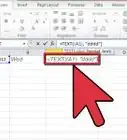
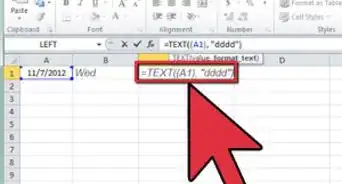
4In the last cell type the formula:
=DATE(YEAR(A2),MONTH(A2)+B2,MIN(DAY(A2),DAY(DATE(YEAR(A2),MONTH(A2)+B2+1,0))))replacing what is in bold with the appropriate cells for your spreadsheet. -
5You will see that this cell now has the calculation desired.
-
6Another option is to use =EDATE(start_date,months)
This is a simpler method but can only be used if the Analysis ToolPak add-in is installed.Advertisement




About This Article
Advertisement