X
This article was co-authored by Yaffet Meshesha. Yaffet Meshesha is a Computer Specialist and the Founder of Techy, a full-service computer pickup, repair, and delivery service. With over eight years of experience, Yaffet specializes in computer repairs and technical support. Techy has been featured on TechCrunch and Time.
This article has been viewed 34,183 times.
This wikiHow teaches you how to create new folders on a Mac laptop or desktop computer. This works for all currently supported versions of Mac OS.
Steps
Method 1
Method 1 of 3:Creating New Folders From The Desktop
Method 1
-
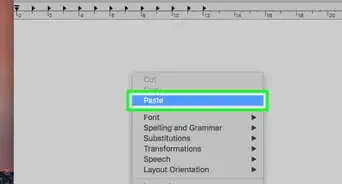
1Right-click in an empty space on the desktop. This will open a menu.
- You can also access the right-click menu by holding the Control key, and clicking normally, or two-finger clicking on a supported trackpad.[1]
-
2Select New Folder. This will create a new folder on your desktop.[2]
-
3Name your new folder.


Method 2
Method 2 of 3:Creating New Folders Without Right-Click
Method 2


Method 3
Method 3 of 3:Creating New Folders From A Finder Window
Method 3






-Step-21-Version-2.webp)
References
About This Article

Yaffet Meshesha
Computer Specialist
This article was co-authored by Yaffet Meshesha. Yaffet Meshesha is a Computer Specialist and the Founder of Techy, a full-service computer pickup, repair, and delivery service. With over eight years of experience, Yaffet specializes in computer repairs and technical support. Techy has been featured on TechCrunch and Time. This article has been viewed 34,183 times.
How helpful is this?
Co-authors: 3
Updated: March 16, 2021
Views: 34,183
Categories: Mac