X
This article was co-authored by wikiHow Staff. Our trained team of editors and researchers validate articles for accuracy and comprehensiveness. wikiHow's Content Management Team carefully monitors the work from our editorial staff to ensure that each article is backed by trusted research and meets our high quality standards.
This article has been viewed 7,026 times.
Learn more...
This wikiHow teaches you how to select a cell range in an Excel spreadsheet, and count the number of all the cells with text in them, using a computer.
Steps
-
1Open the Excel file you want to edit on your computer. You can open Microsoft Excel and find your file on the saved spreadsheets list, or just double-click the file to open it.
-
2Click an empty cell. Find an empty cell to insert your counting formula, and click it.Advertisement
-
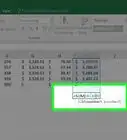
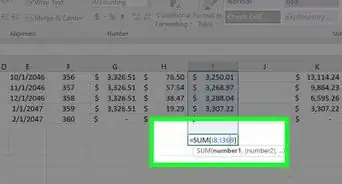
3Type =COUNTIF(range, criteria) in the empty cell. This formula will allow you to select a cell range, and count the number of cells with text in them.
-
4Replace range with the cell range you want to count. Enter your first and last cells in the range here, separated by a colon.
- For example, if you're counting cells A1 to D6, enter A1:D6 here.
-
5Replace criteria with "*" in the formula. This will count the number of all the cells with text in the selected range.
- For example, if you're counting cells A1 to D6, your final formula should look like =COUNTIF(A1:D6, "*").
-
6Press ↵ Enter or ⏎ Return on your keyboard. This will apply the formula, and count your cells. The number of cells with text in the selected range will show up in the formula cell.Advertisement












About This Article

wikiHow Staff
wikiHow Staff Writer
This article was co-authored by wikiHow Staff. Our trained team of editors and researchers validate articles for accuracy and comprehensiveness. wikiHow's Content Management Team carefully monitors the work from our editorial staff to ensure that each article is backed by trusted research and meets our high quality standards. This article has been viewed 7,026 times.
How helpful is this?
Co-authors: 1
Updated: May 15, 2018
Views: 7,026
Categories: Microsoft Excel
Article SummaryX
1. Open an Excel file.
2. Click an empty cell.
3. Type =COUNTIF(range, criteria).
4. Replace range with the cell range to count.
4. Replace criteria with "*".
5. Press Enter or Return.
Did this summary help you?
Advertisement