X
wikiHow is a “wiki,” similar to Wikipedia, which means that many of our articles are co-written by multiple authors. To create this article, 16 people, some anonymous, worked to edit and improve it over time.
This article has been viewed 198,052 times.
Learn more...
Ever want to show your friend how far you got in a game? Ever needed to copy their progress? This guide will teach you how to copy save files from one Wii to another.
Steps
-
1Turn on the Wii with the save files that you want to copy.
-
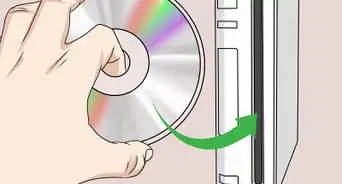
2Insert an SD card in the slot in the front of the console.Advertisement
-
3Click on "Options>Data Management>Save Data>Wii"
-
4Look at the top of the screen and make sure you are in the "Wii" tab.
-
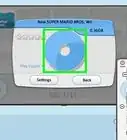
5Find the icon of the game that you want to copy.
-
6Click on it and select "Copy"
-
7This should copy the files to your SD Card.
-
8Now go to the other Wii (where you want the save files at).
-
9Insert the SD card into the slot in the Wii.
-
10Go to "Options > Data Management > Wii"
-
11Make sure you go to the "SD Card" tab.
-
12Find the icon of the game that you want to copy.
-
13Click on it and select "Copy".
-
14The file should be saved. Go to the Wii menu and play on the copied Wii file.Advertisement


Community Q&A
-
QuestionHow do I copy a game to system memory?
 Community AnswerYou need to insert a SD card into your Wii, and then follow the instructions from the game.
 -
QuestionDoes this work on a Wii U?
 Community AnswerNo, it doesn't, unfortunately.
 -
QuestionWhat are the reasons for not being able to copy some games?Community AnswerThe issue of copyrights and the company being afraid you will make copies and sell them or give copies to your friends for free.
-
QuestionHow do I do this without an SD card?
 Community AnswerYou can't. You need an SD card if you want to use this method.
 -
QuestionHow big is the SD card supposed to be to move files from one Wii to another?Community AnswerAny SD card will work, but if you're using an SDHC card, your Wii must be running 4.0 or above to read data from it. Also, SDXC cards on any system menu will need to be reformatted to FAT32, allowing only 32GB to be used.
-
QuestionHow do I copy save files from one Wii to another? Will it work between different Wii versions?Community AnswerIt should, but if the game has received an update pending an install, please update first (very unlikely).
-
QuestionDoes this work on the Wii Mini or with a USB?Community AnswerNo, as the Wii Mini has no SD card slot. Also, USB devices aren't connected to the same input lanes as the SD card slot, so you cannot use one of those either.
Warnings
- Most of the games' data can be copied, but there are other games which data cannot be copied.Thanks!
- Don't turn off the power to the console or remove the SD card while copying. It may corrupt the file or SD card.Thanks!
Advertisement
Things You'll Need
-
Two Nintendo Wiis
- One with the save data you want to copy
- One without the save data
- Any game disk
- An SD card
About This Article
Advertisement