X
This article was written by Nicole Levine, MFA. Nicole Levine is a Technology Writer and Editor for wikiHow. She has more than 20 years of experience creating technical documentation and leading support teams at major web hosting and software companies. Nicole also holds an MFA in Creative Writing from Portland State University and teaches composition, fiction-writing, and zine-making at various institutions.
The wikiHow Tech Team also followed the article's instructions and verified that they work.
This article has been viewed 29,980 times.
This wikiHow teaches you how to use a free app called Paquet Builder to convert a .Zip file to an .Exe file in Windows.
Steps
-
1Download Paquet Builder from https://www.installpackbuilder.com/download. To begin the download, click Download Now. A file called “pbinst.exe” will download to your computer.
-
2Run the installer. To do this, open your Downloads folder, double-click pbinst.exe, and then follow the prompts to complete the installation.
-
3Download the Explorer menu extension from https://www.installpackbuilder.com/explorer-menu-extension. Once the page loads, click the Download button that displays your version of Windows (32 or 64-bit). A file called “pbextsetup.exe” will download to your computer.
-
4Run the menu extension installer. Open your Downloads folder again, double-click pbextsetup.exe to run the wizard, then follow the prompts to complete the installation.
-
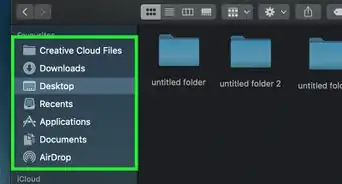
5Press ⊞ Win+E. The File Explorer will appear.
-
6Browse to the folder that contains the .Zip you want to convert.
-
7Right-click the .Zip file. A menu will appear.
-
8Click Compress into a Self-Extracting .exe. It’s near the center of the menu. This opens Paquet Builder.
-
9Enter a title and description for the .exe. If you want to password-protect the file, type a password into the “Optional Encryption Password” box.
-
10Click Build. It’s at the bottom-right corner of the window.
-
11Click Use Freeware Edition. This begins the conversion. Once the process is complete, a new file will appear in the current folder with the same name, except instead of ending with .Zip, it will end in .Exe.





About This Article

Nicole Levine, MFA
Tech Specialist
This article was written by Nicole Levine, MFA. Nicole Levine is a Technology Writer and Editor for wikiHow. She has more than 20 years of experience creating technical documentation and leading support teams at major web hosting and software companies. Nicole also holds an MFA in Creative Writing from Portland State University and teaches composition, fiction-writing, and zine-making at various institutions. This article has been viewed 29,980 times.
How helpful is this?
Co-authors: 6
Updated: February 8, 2018
Views: 29,980
Categories: File Manipulation