This article was co-authored by wikiHow Staff. Our trained team of editors and researchers validate articles for accuracy and comprehensiveness. wikiHow's Content Management Team carefully monitors the work from our editorial staff to ensure that each article is backed by trusted research and meets our high quality standards.
There are 7 references cited in this article, which can be found at the bottom of the page.
This article has been viewed 15,018 times.
Learn more...
Unidays is a service that links retailers and college students, providing discounts on anything from laptops to clothing. If you need to get into contact with the company for account or purchase-related issues, use the support form on the Unidays customer website at https://www.myunidays.com/US/en-US. For business-related issues, visit the corporate page at https://corporate.myunidays.com/US/en-US/index#contact-us. You can also reach out to Unidays over social media if you have customer service questions or complaints.
Steps
Method 1
Method 1 of 3:Contacting Customer Support
-
1Visit the contact page on Unidays’ website. The most direct way to get in touch with Unidays is through their official website at https://www.myunidays.com/US/en-US. On the website, click on the small icon in the upper left corner of the page. The icon is a series of 3 horizontal bars, so it is easily recognizable. Then, click “Support” in the drop-down menu.[1]
- Another way to reach a contact page is to click the “Contact” button in the bottom left corner of the screen. Scroll down or go to it directly at https://www.myunidays.com/US/en-US/contact-us.
-
2Click the “Other” button to reach the contact form. On the support page, you will see a list of 5 options. These options provide answers for topics like logging in and registration. If you need to get ahold of a live Unidays representative, the “Other” button takes you directly to the contact form.[2]
- You can browse the FAQ options on the support page to see if your question has already been answered.
-
3Use the “Contact” button instead if you are not a student. Clicking on the “Contact” button in the bottom left corner of the main Unidays website sends you to a different page. The page will list several options that each lead to slightly different contact forms. The options are “Student,” “University staff,” “Retailer,” and “Someone else,” and each contact form is sent to a different part of the Unidays support team.[3]
- The student form is the same as the general contact form. The contact page is located at https://www.myunidays.com/US/en-US/contact-us.
- The university staff contact form will ask you for your institution’s name. You can find it at https://www.myunidays.com/US/en-US/contact-us/contact/institution.
- The retailer enquiry form asks for your company's name.
- The “Someone else” option is for all other enquiries and can be accessed at https://www.myunidays.com/US/en-US/contact-us/contact/general.
-
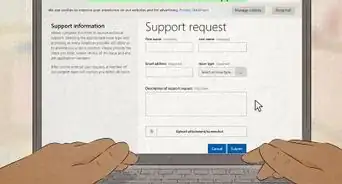
4Enter your personal information to submit a support request. The contact form has a few boxes for you to type in your name and email address. The final box on the page is where you explain your reason for contacting Unidays. Be as specific as possible when describing your problem so that the staff can help you more quickly.[4]
- Make sure you use an email account you have access to. If you registered an account on the Unidays website, using the same email address helps.


Method 2
Method 2 of 3:Using the Business Website
-
1Visit the official Unidays corporate website. The corporate website is different from the service site, so it has different contact purposes. Use this site for business-related questions, such as business partnerships, media relations, and job-seeking. Go to the official website at https://corporate.myunidays.com/US/en-US/index.[5]
- Another site is at https://corporate.myunidays.com/GB/en-GB/index.
- You can use either the US or British site no matter where you are located. Both contact forms are the same and allow you to choose which Unidays office you wish to message.
-
2Click the “Contact” button to access the contact form. On the website, click on the “Get in touch” or “Contact” button you will see near the upper right side of your screen. If you don’t see it, scroll down to the bottom of the page to find another contact button. The contact form may also be available directly on the website’s front page.[6]
- Access the contact form directly at https://corporate.myunidays.com/GB/en-GB/index?GB-en-GB-contact.
-
3Type in your personal information to message Unidays. The first 3 boxes on the form are for your name, company name, and email address. Ignore the company name box if you do not have anything to type in. Click the next box to put in your reason for the message, such as “Partnership.” Underneath that, choose the office you wish to contact, then type in any additional comments you wish to add.[7]
- Currently, Unidays has offices in Nottingham, London, New York, and Sydney.
- After you finish, press the “Send” button to submit the form. Waiting for a response can take anywhere from a few days to weeks.


Method 3
Method 3 of 3:Posting to Social Media
-
1Visit the Unidays Facebook account if you wish to post a message there. Go to the Facebook page and reply to 1 of the official posts. With any luck, the person in charge of the Unidays page will see your comment and respond to it. Leave your comment on the most recent post, then check back periodically to see if you got a response.
- The official Facebook page is at https://www.facebook.com/unidays.
- Avoid spamming the page. Wait at least 2 or 3 days to repost your comment. If it is urgent, try sending a message through the Unidays website.
-
2Send a message to the Unidays Twitter account if you use Twitter. Unidays has several different regional accounts you can contact in addition to their main account. If you need a response from the company, post or send a message to the official help account first. You can then find the other accounts listed on the left side of the help account’s Twitter page at https://twitter.com/unidays_help.
- The main Unidays account is at https://twitter.com/MyUNiDAYS
- The U.S. account is at https://twitter.com/unidays_us.
- The Australian account page is https://twitter.com/UNiDAYS_AU.
- The German account is located at https://twitter.com/UNiDAYS_DE.
-
3Leave a message on their Instagram page as an alternative. Unidays maintains a few Instagram pages corresponding to different regions of the world. You can post to the main Instagram account if they don’t have a page for your region. Leave your comment and check back to see if you get a response. The main page is at https://www.instagram.com/myunidays/.
- The U.S. Unidays account is https://www.instagram.com/UNiDAYS_US/.
- The Australian Unidays page is https://www.instagram.com/unidays_au/.


-Step-3-Version-2.webp)



References
- ↑ https://www.myunidays.com/US/en-US
- ↑ https://www.myunidays.com/US/en-US/support
- ↑ https://www.myunidays.com/US/en-US/contact-us
- ↑ https://www.myunidays.com/US/en-US/support/contact
- ↑ https://corporate.myunidays.com/US/en-US/index#contact-us
- ↑ https://corporate.myunidays.com/GB/en-GB/index
- ↑ https://corporate.myunidays.com/GB/en-GB/index?GB-en-GB-contact
About This Article

-Step-3-Version-2.webp)