This article was co-authored by wikiHow Staff. Our trained team of editors and researchers validate articles for accuracy and comprehensiveness. wikiHow's Content Management Team carefully monitors the work from our editorial staff to ensure that each article is backed by trusted research and meets our high quality standards.
This article has been viewed 47,221 times.
Learn more...
Skrill (formerly Moneybookers) is a UK-based money transfer business. If you're a Skrill customer or thinking of becoming a Skrill customer, the easiest way to contact Skrill is through their website. However, phone numbers and social media contact methods are also available.
Steps
Method 1
Method 1 of 3:Contacting Skrill through Their Website
-
1Navigate to https://www.skrill.com/en/support. You will see a search bar that says 'Type your question here'. You will see this page whether or not you are logged in. [1]
-
2Search for the 'Contact us' page. Just type 'contact' and hit return. You will see a page with 3 options: web, email and phone. [2]
-
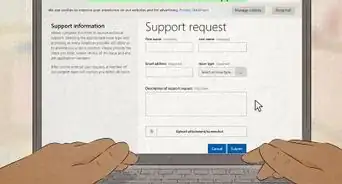
3Click ‘Web’. Look for the ‘WEB’ link under the @ sign. Click this link to be redirected to a contact webform. Here you can choose the issue you are having from drop-down menus of categories and subcategories (such as 'Payments' and 'Failed Transactions'), then enter up to 2500 characters to describe the issue.[3]
- Be sure to include all relevant details so they can resolve your issue quickly.
- This link will not work unless you are logged in.
- If you do not have an account or have forgotten your login details, click the ‘EMAIL’ link instead: this will direct you to a different webform.


Method 2
Method 2 of 3:Contacting Skrill by Phone
-
1Find your Customer ID. You can find it at the top right of the screen on your Account Overview page, underneath your email address.[4]
- This is not essential, but Skrill will be able to answer your call more quickly if you have your customer ID.
-
2Call the relevant phone number for your country. You can find a list of phone numbers and opening times on the Skrill website. When prompted, press 1 to enter your Customer ID if you have it. [5]
- The UK phone number is +44 203 308 2519.
- If you're calling from the US, use the International number: +44 203 308 2520.
-
3Explain your issue to the call handler. Start by specifying which Skrill service your issue relates to. This helps them understand how to direct your call.


Method 3
Method 3 of 3:Messaging Skrill on Facebook
-
1Navigate to Skrill’s Facebook page. You can find this by entering ‘Skrill’ into the Facebook search bar. Alternatively, visit http://www.facebook.com/Skrillpayments.[6]
-
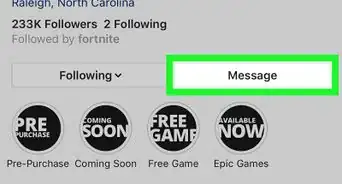
2Click ‘Send Message’. You can click on one of several prewritten message options, such as 'Can I get customer service help?'. If your query does not fit into one of these categories, you can just type into the text bar. [7]
-
3


-Step-3-Version-2.webp)





References
- ↑ https://www.skrill.com/en/support
- ↑ https://www.skrill.com/en/support
- ↑ https://www.skrill.com/en/support
- ↑ https://www.skrill.com/en/support
- ↑ https://www.skrill.com/en/support#/path/Contact-us-Detailed/1048898522/Detailed-contact-information.htm
- ↑ http://www.facebook.com/Skrillpayments
- ↑ http://www.facebook.com/Skrillpayments
- ↑ http://www.facebook.com/Skrillpayments
- ↑ https://twitter.com/skrill/with_replies
About This Article

If you want to contact Skrill, you can easily do so by phone, social media, or through their website. Call 44-203-308-2519 to reach Skrill customer service if you live in the UK, or call 44-203-308-2520 if you live in any other country. Be sure to have your customer ID number handy so they can look up your account. You can also send a message to the Skrill Facebook page. You should receive a response within a day. If you’d rather contact them on the Skrill website, click on the Support page, then click “WEB,” which should open up a contact form where you can describe your issue. To learn how to contact Skrill on twitter, read on!
-Step-3-Version-2.webp)