Explore this Article
X
wikiHow is a “wiki,” similar to Wikipedia, which means that many of our articles are co-written by multiple authors. To create this article, 11 people, some anonymous, worked to edit and improve it over time.
This article has been viewed 72,399 times.
Learn more...
Having problems connecting your Yamaha PSR-E413 to GarageBand on Mac? Here's how to do it.
Steps
-
1Obtain a suitable USB cable to fit one end into the USB socket on the keyboard (some printer cables work).
-
2Download the Yamaha USB-MIDI driver here.Advertisement
-
3Open GarageBand.
-
4Click New Project and choose any instrument.
-
5Click create when the windows pops up.
-
6Delete the instrument by clicking on the picture of the it at the left-hand side and delete it by clicking on the picture of it and pressing ⌘ and backspace.
-
7Check that there is nothing in the tracks pane. If there is still an instrument, repeat step 6.
-
8Plug the big end of the USB cable into the keyboard and the small end into your computer. A notification should come up in GarageBand telling you that the number of MIDI inputs has changed.
-
9On the keyboard, press the function button (left of the display) and scroll through them by using the category buttons (right of the display) until you find PC MODE.
-
10Press + on the number pad twice so that the display says PC 2.
-
11On GarageBand, press the + on the bottom left-hand corner.
-
12Select Software Instrument and click Create.
-
13Browse the instruments in the pane on the right-hand side until you find the one you want.
-
14Highlight your chosen instrument so that it is in the Tracks pane.
-
15Click the red record button at the bottom.
-
16Start playing your keyboard.
-
17When you have finished, click the record button again.
-
18To record multiple instruments, repeat steps 11-17.
-
19Edit them by cutting out the pauses at the start and finish and putting multiple recordings together.
-
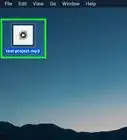
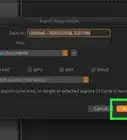
20At the top, click Share and Export Song to Disk. On the windows that pops up, click Export then Save.
-
21Enjoy your song!Advertisement


Things You'll Need
- A Yamaha PSR-E413 keyboard
- A Mac with GarageBand
- The Yamaha USB-MIDI Driver
You Might Also Like
How to
Compose Music Using GarageBand
How to
Make a Song on Garageband
How to
Play the Keyboard
How to
Open Exe Files on Mac

How to
Automatically Shut Down Your Computer at a Specified Time
How to
Open Applications Using Terminal on Mac
How to
Uninstall Programs on Mac Computers
How to
Open Applications With Root Privileges on a Mac
How to
Change the Screen Resolution on a Mac
 How to Download & Install MacOS on a Virtual Machine Using VirtualBox
How to
Copy and Paste on a Mac
How to
Find Your IP Address on a Mac
How to
Open PDF Files

How to
Quickly Open the Launchpad on a Mac
Advertisement
About This Article
wikiHow is a “wiki,” similar to Wikipedia, which means that many of our articles are co-written by multiple authors. To create this article, 11 people, some anonymous, worked to edit and improve it over time. This article has been viewed 72,399 times.
How helpful is this?
Co-authors: 11
Updated: May 28, 2020
Views: 72,399
Categories: Mac | Media Software
Advertisement