X
wikiHow is a “wiki,” similar to Wikipedia, which means that many of our articles are co-written by multiple authors. To create this article, 13 people, some anonymous, worked to edit and improve it over time.
This article has been viewed 210,845 times.
Learn more...
Connecting your Xbox to the Internet can be done a few different ways, namely through a wired or a wireless connection. Both methods can be done easily and is a must to fully experience Xbox Live and play online with your friends and family.
Steps
Method 1
Method 1 of 3:Connecting an Xbox One
Method 1
-
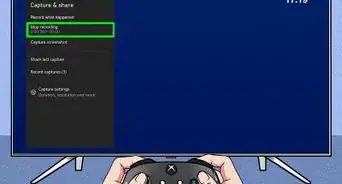
1Connect your Xbox One. If you want to connect your Xbox One, you'll have to follow the instructions for that console listed in the link provided. The methods are essentially the same but differ slightly.

Method 2
Method 2 of 3:Wired Connection
Method 2
-
1Use an Ethernet cable. The Xbox 360 comes with an Ethernet cable that you will need to make a wired connection. You can also use other Ethernet cables as long as they are compatible with your console. Be mindful of your console’s distance from the Internet source: you don't want to get a cord that is too short!
-
2Connect the Ethernet cable. You will find the Ethernet port at the back of the Xbox 360. Connect the Ethernet cable to this port and then connect the other end to your router or directly to your Internet modem. Make sure the connection is secured.
-
3Turn on your console. You can now turn on your Xbox 360 after connecting the Ethernet cable at both ends.
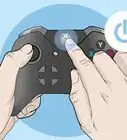
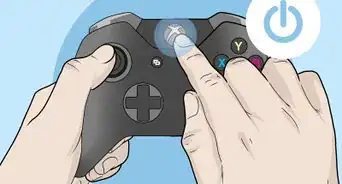
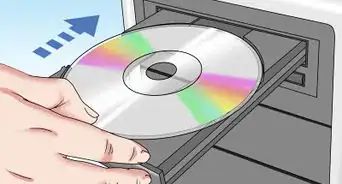
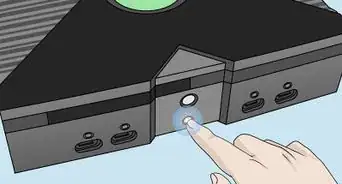
- You can power on your console by touching the power sensor of the Xbox 360 on its front panel or by pressing the Home button on your Xbox 360 controller. You can also open the tray by touching its eject sensor and the console will automatically turn on.
- The console should automatically be connected to the Internet upon boot-up.


Method 3
Method 3 of 3:Wireless Connection
Method 3
-
1Access Wi-Fi. The Xbox 360 can easily access the Internet wirelessly in an instant! It has a built in Wi-Fi adapter that allows it to connect to your router automatically.
-
2Power on your console. The first time you turn on your console, it will not yet automatically connect to the Internet, since it hasn’t memorized your router’s access information yet.
-
3Connect your router. In the Network menu, Xbox 360 will display all the Wi-Fi hotspots within its signal’s reach. Once the Xbox 360 detects your router in the Network, select it and you will be able to access the Internet. You may have to enter your router’s password first, depending on your router’s security settings. Xbox 360 will now remember this wireless setup and use it automatically on your following sessions.
- If you have an Ethernet cable connected to your console, it will automatically go into “wired” Internet connection mode. If you want to stay connected wirelessly just disconnect the Ethernet cable from your unit.
- You may need to adjust your console’s wireless configuration setting if your console fails to connect to the Internet. When in doubt, set everything to automatic or simply reset to default.


Community Q&A
-
QuestionWhat if my XBox can't connect wirelessly?
 Community AnswerAssuming you have an older Xbox, you can buy a modem that connects to the Xbox via cable. You can then connect it to the internet through the modem.
 -
QuestionDo I have to have an Xbox live account to connect to the Internet?
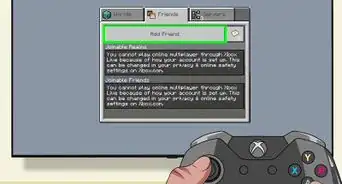
 Community AnswerYou don't necessarily need a Xbox live acount to 'connect' to the internet, but it has advantages like downloading content or playing online multiplayer, etc.
 -
QuestionHow long will my Xbox last?
 Community AnswerIt depends on how you treat it, but typically it will last for several years.
 -
QuestionI get a connection, but it will drop out. Could I be blocked from the router?Community AnswerYou could be. It's definitely possible.
-
QuestionWhat if it says I have to connect a cable of some sort?Community AnswerIf it's wi-fi enable, you should not need any cables. Otherwise, you need LAN cables (or adapters) to connect the XBOX directly to your modem/router.
-
QuestionWhy won't the wireless adapter for my Xbox 360 connect to WiFi?Community AnswerSome Xbox 360 consoles don't have a built-in wireless adapter or don't support it. The very first model of the Xbox 360 is just that. If you have this model of the console, its best to have a wired connection through an ethernet cable.
-
QuestionI do I check if I still have Xbox Live?Community AnswerYou should be able to tell pretty quickly. Try performing a function that requires the internet, like looking up new game releases or connecting to internet explorer. If you're talking about Xbox live gold, the service required to play most online multiplier games, you should have that as long as you bought a membership card recently.
Warnings
- Make sure that you have the slim Xbox 360 version for the wireless method to work on your console. Otherwise, you will need to purchase an Xbox 360 Wireless Network Adapter for your old version Xbox 360.Thanks!
-Step-13.webp)


-Step-13.webp)