X
This article was co-authored by wikiHow Staff. Our trained team of editors and researchers validate articles for accuracy and comprehensiveness. wikiHow's Content Management Team carefully monitors the work from our editorial staff to ensure that each article is backed by trusted research and meets our high quality standards.
This article has been viewed 18,305 times.
Learn more...
Playing the Xbox is a blast. Keeping your system clean, on the other hand, is a little less fun. Maintaining and cleaning your Xbox will increase how long it will work and will help keep it looking new. Whether you have a 360, One, or classic Xbox, cleaning it is easy as long as you know what you're doing.
Steps
Method 1
Method 1 of 3:Cleaning an Xbox 360
Method 1
-
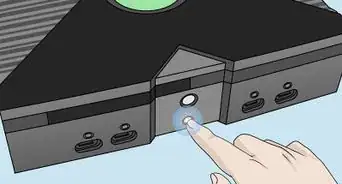
1Unplug your console. Before cleaning your console, unplug it and examine the wires to ensure that there are no damaged connections or ports. You do not want power running to the system while you clean it, or you may accidentally damage it.
-
2Wipe the console with a soft, dry cloth. Use a soft microfiber or cotton cloth to wipe down the surface of the system. Work in small circular motions to wipe away noticeable dirt build up or gunk.[1]
-
3Remove the faceplate. Hold one end of the faceplate and push on your system with your thumbs until it detaches from the system. If it is not coming off, you can try to loosen the other side with your other hand.
- Removing the faceplate won't void the warranty, but opening up the system will.
-
4Use your vacuum cleaner to suck dust out of the ventilation holes. Use the hose with an attachment to suck the dust out of the holes in the front of the system. Do not push or rub over these holes, because you could push dirt and dust deeper into your system.
-
5Wipe down the inside of the faceplate. Turn the faceplate over and go over it with a damp rag. Once you're done removing the dirt and dust that's built up, make sure to let it dry completely. Do not reattach it to your system while wet.
-
6Reattach the faceplate to the console. Align the faceplate to the front of your console. Press it into the console and snap the faceplate back into place. You can jiggle it around to make sure that it's secure.


Method 2
Method 2 of 3:Cleaning an Xbox One
Method 2
-
1Unplug your console. Before cleaning your console, make sure that it is unplugged from the outlet. This will allow you to turn the system over and thoroughly wipe it down.
-
2Wipe down the exterior with a microfiber cloth. You can purchase a microfiber cloth at a computer supply store or online. Wipe down the top, bottom, sides, and ports of the system with a microfiber cloth.[2]
- You can use cotton swabs to get to hard to reach areas, just make sure not to push dust deeper into the system.
-
3Spray short bursts of compressed air to remove dust. Use the detail nozzle on a can of condensed air and go over the entirety of the system, including the ventilation slots and the ports. This will remove any dust that you were unable to reach with your cloth.[3]


Method 3
Method 3 of 3:Cleaning the Original Xbox
Method 3
-
1Unplug the console. Before you clean your Xbox, you'll want to make sure that there's no electricity running through it. Unplug the console and make sure that there are no frayed wires or broken ports. Work on a flat, static-free surface, like a kitchen table, when cleaning your console.
-
2Pull the rubber feet off the bottom of the console. Flip the console over and pick out the rubber feet on the corners of the console with your fingers. You can also use a flathead screwdriver to get the feet up if you are having issues.[4]
- Note that using this cleaning method will void the warranty on your Xbox.
-
3Remove the bottom screws from the console. Once you get the feet off, you'll see four screws under each of them. These screws require a torque 20 screwdriver that you can pick up at a hardware store, or buy online. Unscrew all four screws that are under the rubber feet, then find the two screws in the center of the console. These will be located under the stickers.[5]
- To find the last two screws, feel the surface of each of the stickers on the bottom of your console until you feel the rounded head of a screw.
-
4Ground yourself. To discharge static electricity, ground yourself by touching a metal object or by wearing an anti-static wristband. This will prevent shorting out the internal components of the Xbox.[6]
-
5Lift the plastic top of the console off of the base. Once you remove all six screws on the bottom of the console, you should be able to lift the lid of the console off of the base of the system. Be careful when doing this, as it will expose the inner parts of your system.
-
6Wipe down the exterior of the console with a damp rag. Once you remove the exterior lid of the console, you can wipe it down with a damp rag and a drop of dish soap without affecting the electronic parts inside of the console. Take the lid and wipe over the surface of the console with a damp rag and dish soap.[7]
- Do this far away from the electronic components of the Xbox.
- You can wipe down the console with a dry cloth to maintain it over time.
-
7Spray compressed air in the console to remove the dust. Compressed or canned air will disrupt the dust particles trapped in the console. Use the attachment to get into especially dusty areas and try to discharge the dust from the inside of the system.
-
8Reattach the lid to the console. Once the exterior of the console has fully dried, you can reattach it to the other part of your Xbox by placing it over the Xbox and then screwing the screws on the bottom of the Xbox back in. Do not use cleaners on the Xbox when the protective casing is screwed into it.


Community Q&A
-
QuestionWhat if an xBox rusts?
 Community AnswerThis is unlikely because most are made from plastic. The main risk is not drying it properly after cleaning and the water getting into electronics, so never use water or dripping cloths, just well wrung damp cloths.
Warnings
- Breaking the seal or opening the case on your Xbox will invalidate the warranty.Thanks!
- Never get your console wet.Thanks!
- Never use unauthorized chemicals on your system.Thanks!
- Never open your Xbox when it's plugged in.Thanks!
-Step-13.webp)







References
- ↑ https://support.xbox.com/en-US/xbox-360/console/care-maintain
- ↑ http://www.ign.com/wikis/xbox-one/How_to_Clean_the_Xbox_One_System
- ↑ http://www.windowscentral.com/how-clean-your-xbox-one
- ↑ https://www.youtube.com/watch?v=d5IZOqZ-VqY
- ↑ https://www.youtube.com/watch?v=CsjX72Zq8aY
- ↑ https://blog.macsales.com/2225-discharging-static-electricity-for-safe-computer-upgrading
- ↑ https://www.youtube.com/watch?v=CsjX72Zq8aY
About This Article

wikiHow Staff
wikiHow Staff Writer
This article was co-authored by wikiHow Staff. Our trained team of editors and researchers validate articles for accuracy and comprehensiveness. wikiHow's Content Management Team carefully monitors the work from our editorial staff to ensure that each article is backed by trusted research and meets our high quality standards. This article has been viewed 18,305 times.
Co-authors: 4
Updated: November 10, 2020
Views: 18,305
Categories: Xbox
-Step-13.webp)