X
This article was co-authored by wikiHow Staff. Our trained team of editors and researchers validate articles for accuracy and comprehensiveness. wikiHow's Content Management Team carefully monitors the work from our editorial staff to ensure that each article is backed by trusted research and meets our high quality standards.
This article has been viewed 69,129 times.
Learn more...
Whether you have a new flat screen digital or an old tube-type analog television, this guide lists the most common cables required to connect your television with a game console, DVD player, cable TV, audio receiver, and other peripherals.
Steps
Part 1
Part 1 of 2:Understanding Your Components
Part 1
-
1Check the television sticker. Look on the back or side for a sticker that shows the manufacturer, model number, serial number, and date of manufacturer. For example, you may find that your television is a Samsung J5500.
-
2Search the internet for the manufacturer and model number. The inputs and outputs technical specifications tell you what audio and video connectors are used for that model. Look for these input and output jacks on the back of the television. Digital televisions have HDMI input jacks while analog sets have coaxial, RCA, or S-video connectors. In the example, the Samsung J5500 includes HDMI, component in, and composite in connections plus Dolby Digital and DTS Studio Sound audio.[1]Advertisement
-
3Choose the peripherals you want to connect. While your television supports a variety of devices, you may only want to connect the ones you actually own. For those, check the stickers, look up the technical specifications, and see what input and output jacks are on the peripheral. With what you have learned about your television and components, you are ready to choose the right connectors.Advertisement


Part 2
Part 2 of 2:Choosing the Right Connectors
Part 2
-
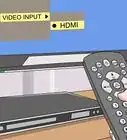
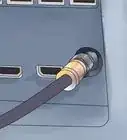
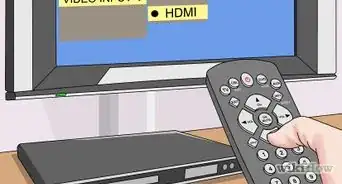
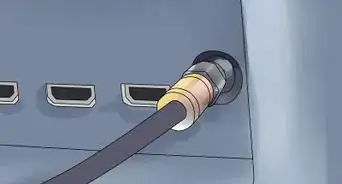
1Use HDMI connectors if your television supports it. High-Definition Multimedia Interface (HDMI) cables are preferred to connect your television with your audio receiver, DVD or Blu-ray Disk deck, newer game consoles, and other devices with an HDMI or mini-HDMI port. The HDMI signal conveys the highest definition video plus digital audio signals, ranging from stereo up to eight channels of 24-bit audio.
-
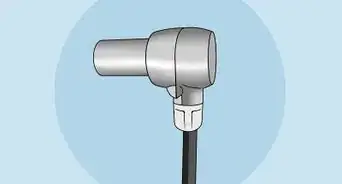
2Use optical cables for older audio receivers. While both HDMI and optical cables, also called TOSLINK, carry digital audio, including support for Dolby Digital, only HDMI can carry the higher resolution audio, including the formats found on Blu-ray decks: Dolby TrueHD and DTS HD Master Audio. However, optical cables are not affected by electrical problems such as ground loops or radio frequency interference. Always prefer HDMI since it carries both video and audio in one cable. Use optical cables for older receivers or speaker sound bars that do not support HDMI.[2]
-
3Component cables are the next best for digital sets. Component cables, also called YPbPr, provide signal separation so that the displayed television image is nearly identical to the original image, unlike S-video that uses color multiplexing. Component cables end in color-coded RCA connectors: green for Y, blue for Pb/Cb, and red for Pr/Cr.
-
4Add a converter box. To receive digital over-the-air television channels on an analog television, use a digital-to-analog converter box, also called a digital TV adapter. Run coaxial cable from the television antenna to the converter box and then to your peripherals. For older sets, you may need 2-way splitters to send the television signal to your television and other devices. [3]
-
5For analog sets, prefer S-video connectors. They provide better image quality than composite video but lower color resolution than component video. The four-pin mini-DIN cable carries two synchronized signals: Luminance (called Y or luma signal), a black-and-white wide-bandwidth television signal, and Chrominance (called C or chroma signal), containing the color information of the video. The audio channels require their own separate RCA cables.
-
6Use composite RCA connectors for older sets. The RCA connector uses three color-coded wires to carry separate audio and video signals, yellow for composite video, red for the right audio channel and white or black for the left audio channel. These cables are widely used with analog VCR and DVD decks and older game consoles.
-
7Forget the gold-plated cables. If a low-priced DVI, HDMI, or optical cable transmits a signal to your television, then it works and there is no reason to buy a more expensive cable. Look online for the best deals on connector cables.[4]Advertisement


Community Q&A
-
QuestionI have just got a new DVD player, it needs an HDMI cable but my TV is really old and only has a SCART lead socket, is there something I can buy so I can use an HDMI cable?
 Charlie GCommunity AnswerYou can purchase a converter online to convert the HDMI cable to SCART. Try looking on eBay or at your local electronics retailer.





References
About This Article

wikiHow Staff
wikiHow Staff Writer
This article was co-authored by wikiHow Staff. Our trained team of editors and researchers validate articles for accuracy and comprehensiveness. wikiHow's Content Management Team carefully monitors the work from our editorial staff to ensure that each article is backed by trusted research and meets our high quality standards. This article has been viewed 69,129 times.
How helpful is this?
Co-authors: 17
Updated: September 15, 2021
Views: 69,129
Categories: Television
Advertisement