This article was co-authored by Emily Schmitt. Emily Schmitt is a Technology Writer for wikiHow. Emily is a tech and social media enthusiast who has written dozens of articles on popular apps and services. Emily has experience as an editor of the Davidsonian, the on-campus newspaper at Davidson College. She is currently enrolled at Davidson College, earning her BA in both English and Digital Studies.
Do you need to check your telus voicemail from someone else's phone? The Canadian telecommunications company allows you to check your voicemail from anywhere in the world with another mobile device or landline. This wikiHow article will teach you how to access your telus voicemail messages remotely and give you some options for managing your voicemail.
Steps
Method 1
Method 1 of 5:Remotely AccessYour Voicemail With Another Phone

Method 2
Method 2 of 5:Remote Access via a Landline

Method 3
Method 3 of 5:In the Main Menu
-
1Once you’ve accessed your mailbox, you can start listening to your voicemail.[1] In the menu, use your keypad to navigate your options:
- Press 1 to listen to your messages.
- Press 2 to send a message.
- Press 3 to access your voicemail’s pre-recorded Greetings.
- You can record a personal greeting, initial an extended absence greeting, and manage your current greetings.
- Press 4 to access Personal Options.
- These include Group Lists, Pager Notifications, the ability to change your password, your voicemail’s language, and your recorded name.
- Press 1 or 9 to recover deleted and expired messages.
- Exit your voicemail by pressing **.
Advertisement

Method 4
Method 4 of 5:Listening to Your Messages
-
1Once you’ve selected a message to listen to, you can do a couple of things while listening.[2] Use this key to navigate your message.
- Press 1 to rewind a message for 10 seconds.
- Press 2 to pause or resume the message.
- Press 3 to fast forward 10 seconds.
- Press 5 to hear the message time and date.
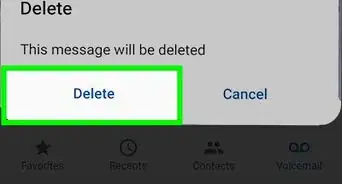
- Press 7 to delete the message.
- Press 9 to save the message.
- Press the # symbol to keep the message as new.
- Press the * symbol to return to the main menu.

Method 5
Method 5 of 5:After Listening to a Message
-
1If you’ve finished listening to a message, you have a couple of choices.[3]
- Press 1 to replay the message.
- Press 5 to hear the message’s time and date.
- Press 6 to forward a copy of the message.
- Press 7 to delete the message.
- Press 9 to save the message.
- Press the # symbol to keep the message as new.
- Press the * symbol to return to the main menu.
Advertisement







References
- ↑ https://assets.ctfassets.net/9mt4r6ro1ay9/4MNlTBalKUooe8kQEGcwkc/d003aa3439f623082c4d880e687112ca/voicemail_ug_v2.pdf
- ↑ https://assets.ctfassets.net/9mt4r6ro1ay9/4MNlTBalKUooe8kQEGcwkc/d003aa3439f623082c4d880e687112ca/voicemail_ug_v2.pdf
- ↑ https://assets.ctfassets.net/9mt4r6ro1ay9/4MNlTBalKUooe8kQEGcwkc/d003aa3439f623082c4d880e687112ca/voicemail_ug_v2.pdf
About This Article