X
wikiHow is a “wiki,” similar to Wikipedia, which means that many of our articles are co-written by multiple authors. To create this article, volunteer authors worked to edit and improve it over time.
This article has been viewed 90,749 times.
Learn more...
Are you interested in checking your ActiveX Version? The following article gives you information about how-to check ActiveX Version on Windows 7.
Steps
-
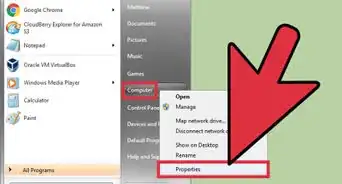
1Open the start menu.
-
2Type "ActiveX" on 'search programs and files'. 'Manage browser add-ons' will automatically show at the top of the start menu bar. You can click it or simply press 'Enter'.Advertisement
-
3'Internet Properties' will appear, and on the tab 'Program', click 'Manage add-ons'
-
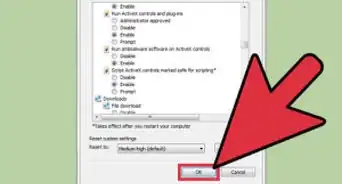
4All add-ons on ActiveX will show on the 'Manage add-ons' window. You can check every ActiveX version you want.Advertisement
-Step-1.jpg)
-Step-2.jpg)
-Step-3.jpg)
-Step-4.jpg)
Community Q&A
-
QuestionWhat is ActiveX control?
 Community AnswerIf you have previously downloaded VLC Media Player, I believe it came with that. I think it's to play videos on websites.

-Step-55-Version-2.webp)




About This Article
Advertisement