This article was co-authored by wikiHow Staff. Our trained team of editors and researchers validate articles for accuracy and comprehensiveness. wikiHow's Content Management Team carefully monitors the work from our editorial staff to ensure that each article is backed by trusted research and meets our high quality standards.
The wikiHow Tech Team also followed the article's instructions and verified that they work.
This article has been viewed 128,033 times.
Learn more...
This wikiHow teaches you how to send a message to a friend on TikTok, and check your incoming messages in your inbox, using Android.
Steps
Part 1
Part 1 of 2:Sending a Message
-
1Open TikTok on your Android. The icon looks like a black square with a white music note on it. You can find it on your Apps menu.
-
2Advertisement
-
3Tap Following below your profile picture. This button shows the total number of people you're following at the top of your profile. It will open a list of all the people you follow.
- Alternatively, you can tap Fans next to Following to see a list of users who follow you.
-
4Tap the user you want to message. Find the user you want to chat with, and tap their name on the list to open their profile.
-
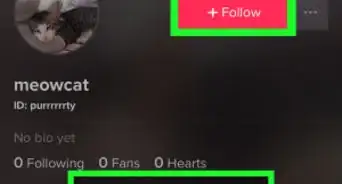
5Tap the Message button on their profile. You can find this button below this user's picture at the top of their profile. It will open the message screen.
-
6Enter your message in the text field. Tap the text field at the bottom of the message screen, and type your message here.
-
7Tap the red paper plane icon. You'll find this button next to the text field on the right-hand side. It will send your message.Advertisement


Part 2
Part 2 of 2:Checking Your Inbox
-
1Tap the square speech bubble icon at the bottom of your screen. This will open a list of all your notifications on a new page.
-
2Tap the inbox icon on the top-right. This button is located in the upper-right corner of your notifications list. You’ll see any private messages sent to you by your friends here.
-
3Tap a message in your inbox. This will open your chat thread in full-screen. You can read all the messages in the chat, and send a reply to your friend here.Advertisement


Community Q&A
-
QuestionHow can I message a private Tik Tok account?
 Zhongli, Archon of Liyue (Aasim)Community AnswerThe private account has to be following you back in order for you to message them.
 -
QuestionHow do I send pictures through Tik Tok messages?Zhongli, Archon of Liyue (Aasim)Community AnswerYou can't, for your safety and for the safety of others. You can only send GIFs from GIPHY, stickers, TikTok videos, sounds, hashtags, and plaintext messages.
-
QuestionCan I send my mobile number to a fan via Tik Tok message?Zhongli, Archon of Liyue (Aasim)Community AnswerYou cannot and should not. You can only send information to friends you have on Tik Tok. You'll now if it's a friend if you see a double arrow by the Follow button or if you see "Friends" instead of "Following".
-
QuestionMy friend on Tik Tok wants me to text her. I try, and even though she has privacy restrictions off, it says I can't text her. What do I do?Zhongli, Archon of Liyue (Aasim)Community AnswerYou need the other user's contact number to DM on Tik Tok. Make sure that you and your friend have your phone numbers registered on Tik Tok, and that you are in each others' contacts list.
-
QuestionIs there a fee to send messages on TikTok?Zhongli, Archon of Liyue (Aasim)Community AnswerExcept for fees for mobile data usage in general, no. TikTok's DM feature is free of charge.
-
QuestionHow can a I message somebody without a phone number?
 Community AnswerYou can't do that. You must link your phone number to message somebody on TikTok.
 -
QuestionHow do I unsend a message on Tik Tok?Zhongli, Archon of Liyue (Aasim)Community AnswerTap on the message, then choose "Delete." Note that this will not remove it from their device.
-
QuestionCan I chat without a phone number?Zhongli, Archon of Liyue (Aasim)Community AnswerAs a measure against spam, you cannot chat without providing a phone number. Add one and try again.
-
QuestionWhere does TikTok send verification codes?Zhongli, Archon of Liyue (Aasim)Community AnswerVerification codes are sent to your phone number or email address. Check there and enter them in.
-
QuestionIs it possible to have a TikTok account without using a phone number?
 Mary SlobeCommunity AnswerYes, you can use your email account instead.


About This Article

1. Open Tik Tok.
2. Tap the person icon on the bottom-right.
3. Tap Following or Fans at the top.
4. Tap a user.
5. Tap Message on their profile.
6. Enter your message, and tap the paper plane to send it.
7. Tap the square speech bubble icon at the bottom.
8. Tap the inbox icon on the top-right.
9. Tap a chat thread to see all the messages.