This article was written by Darlene Antonelli, MA. Darlene Antonelli is a Technology Writer and Editor for wikiHow. Darlene has experience teaching college courses, writing technology-related articles, and working hands-on in the technology field. She earned an MA in Writing from Rowan University in 2012 and wrote her thesis on online communities and the personalities curated in such communities.
This article has been viewed 5,509 times.
When you buy a SmartBand 2 or the SmartBand 2 iOS from Sony, you'll be able to track your body functions like blood pressure and heart rate through the app. This wikiHow will teach you how to charge your SmartBand since you'll need at least 30 minutes of charge before you can use it.
Steps
-
1Get a charger or charging cable. Sony sells the USB to Micro USB charging cable that will work best with the watch, but you can probably find cheaper ones at an online retailer.
-
2Remove the SmartBand core from the band. The hard-chip center should slide or pop out of the watch band casing.
-
3Plug the Micro USB end of the charger into the port on the SmartBand core. You'll find this hole on one of the sides of the core.
-
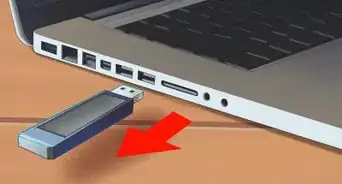
4Plug the USB end of the charger cable into a power adapter or USB port of a computer. You can use either source of power to charge your SmartBand.
- An orange light appears to indicate it's charging. When the light turns green, the core has 90% power.[1]









References
About This Article

1. Get a charger or charging cable.
2. Remove the SmartBand core from the band.
3. Plug the Micro USB end of the charger into the port on the SmartBand core.
4. Plug the USB end of the charger cable into a power adapter or USB port of a computer.