This article was written by Darlene Antonelli, MA. Darlene Antonelli is a Technology Writer and Editor for wikiHow. Darlene has experience teaching college courses, writing technology-related articles, and working hands-on in the technology field. She earned an MA in Writing from Rowan University in 2012 and wrote her thesis on online communities and the personalities curated in such communities.
This article has been viewed 2,392 times.
This wikiHow will show you how to charge your Fitbit Charge 3 using the Fitbit Charge 3 charging cable and a power source with a USB-A port.
Steps
-
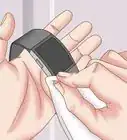
1Line up the pins in the charger to the pins on the back of the Fitbit. To make sure you don't set the Fitbit incorrectly inside the charger, you'll want to see which way the pins are located in the charger's cradle and match them to the Fitbit's charging pins.
- The open side of the cradle should line up with the button on the Fitbit.
-
2Pinch the cradle open and place your Fitbit inside. When you have the Fitbit inserted, you can let go of the cradle's arms so they aren't open anymore. You should hear a click as the pieces fit together.Advertisement
-
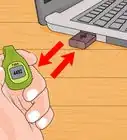
3Plug the USB-A cable end into a power source. You can either use a power bank, a laptop, a computer, or a wall-socket adaptor. Your Fitbit will vibrate once when it starts to charge.
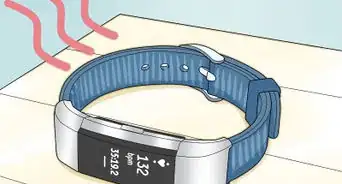
- You can tap the face of the Fitbit Charge 3 to see what it's current charge is. To charge from 0-100% should take about 1 to 2 hours. When your Fitbit is done charging, you'll see a smiley face icon in the battery symbol.[1]
Advertisement






About This Article

1. Line up the pins in the charger to the pins on the back of the Fitbit.
2. Pinch the cradle open so you can place your Fitbit inside.
3. Plug the USB-A cable end into a power source.