X
wikiHow is a “wiki,” similar to Wikipedia, which means that many of our articles are co-written by multiple authors. To create this article, 18 people, some anonymous, worked to edit and improve it over time.
This article has been viewed 274,216 times.
Learn more...
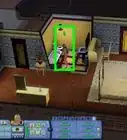
Tired of your Sim's traits on the Sims 3? Luckily, there is a simple trick you can use to change their traits anytime, not just in character creation. Now you can change your Sim's traits as many times as you wish!
Steps
-
1Hold down the 'Ctrl', 'Shift' and 'C' keys on your keyboard at the same time. A box should pop up at the top of your screen. This is the cheats box.
-
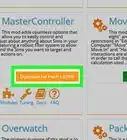
2Type in "testingcheatsenabled true" into the box. You must get the spelling and spacing right or it will not work.Advertisement
-
3Press 'Enter'. This will enable some of the extra features in the game to work, including this cheat.
-
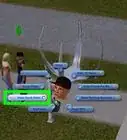
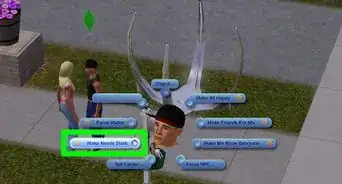
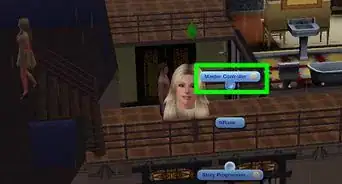
4Hold down the 'Shift' key and click on the Sim you want to change the traits of. Many options will pop up around that Sim; make sure you don't click the wrong one, as you can inadvertently change some other features of your Sim!
-
5Choose "modify traits for active sims" from the options. That will take you to a pop-up where you can edit the traits for the sim you chose.Advertisement


Community Q&A
-
QuestionThe shift button doesn't work. All that happens is the screen moves around. What can I do?
 Community AnswerIf it's on PC, hold shift and left-click the Sim you want to change.
 -
QuestionIs there a way to do this without cheats?
 Community AnswerThere is a lifetime wish, but it costs a lot of points, so cheats are easier.
 -
QuestionDoes this work for children also?Community AnswerIt works on teens (I just tried it) so it should work on children.
-
QuestionHow do I do this on PS3?
 Community AnswerYou can't do this on consoles as it has no cheat support for the game. It's only available for the PC version of the Sims 3.
 -
QuestionHow do I get out of the cheat box on The Sims 3?
 Community AnswerEnable testing cheats and customize The Sims. From there, you can alter all of the traits of your Sims as well as their appearance and anything else you may want to customize.

About This Article
Advertisement