This article was co-authored by wikiHow staff writer, Jack Lloyd. Jack Lloyd is a Technology Writer and Editor for wikiHow. He has over two years of experience writing and editing technology-related articles. He is technology enthusiast and an English teacher.
The wikiHow Tech Team also followed the article's instructions and verified that they work.
This article has been viewed 601,217 times.
Learn more...
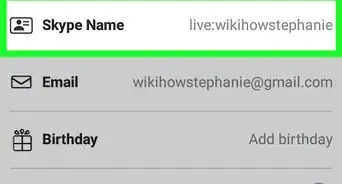
This wikiHow teaches you how to change your Skype display name, which is the name people see when you appear in their contacts. You can change your Skype display name on the Skype website and on the mobile version of Skype, but you cannot change your Skype display name in the Skype program for Windows and Mac computers. You also can't change your Skype username without creating a new account.
Steps
Method 1
Method 1 of 2:On the Skype Website
-
1Open the Skype website. Go to https://www.skype.com/ in your browser. If you're already signed into Skype, you'll see your username in the top-right corner of the page.
- If you aren't already signed in, click Sign in in the top-right corner and enter your email address and password.
-
2Click your name. It's in the top-right corner of the page. Doing so prompts a drop-down menu.
- If you had to sign into Skype, skip this step and the next step.
-
3Click My account. This option is near the top of the drop-down menu.
-
4Scroll down and click Edit profile. It's in the blue column that's on the left side of the page. This will open your profile page.
-
5Click Edit profile. This button is in the upper-right side of the Profile page.
-
6Edit your name. Type a new first and/or last name into the appropriately labeled text field(s) near the top of the "Personal information" area.
-
7Click Save. It's a green button in the top-right corner of the page. Doing so will save your name and apply it to your Skype account; the next time you open Skype while connected to the Internet, you should see your new name.


Method 2
Method 2 of 2:On Mobile
-
1Open Skype. Tap the Skype app icon, which resembles a white "S" on a blue background. This will open the main Skype page if you're logged in.
- If you aren't logged into your Skype profile, enter your email address (or username, or phone number) and password before proceeding.
-
2Tap your profile image. It's a circular image at the top of the screen. Doing so opens your profile menu.
-
3
-
4Change your name. Using the on-screen keyboard, modify your name as needed.
-
5


Community Q&A
-
QuestionWill I be able to use the same email account I had if I delete my account?
 Community AnswerYes. When you delete an account, you also make Skype 'forget' that email address, so you are able to create a new account with that email.
 -
QuestionIf I change my Skype display name, will all my contacts be updated?
 Community AnswerThey will not receive an update via message or email, but they will be able to see that your Skype display name is different.
 -
QuestionHow do I change it on an iPad?
 Community AnswerYou will need to go to the Skype website. See method 2 for more information.
 -
QuestionHow do I make my name a single word? Method 1 doesn't work and method 2 requires a first name and last name.Community AnswerWhat some do for the last name field is to just put a little symbol, like an emoji or special character.
-
QuestionHow can I change my Skype name?Community AnswerIt's not possible. The only way to change the name is to open a new account.
-
QuestionHow do I change my account name
 Chris MuniuCommunity AnswerYour Skype account name is the same as your display name, so just change it using the Instructions for changing your Skype display name in this article.
 -
QuestionIf I made my Skype account with a mobile number, how do I change your Skype name?Community AnswerAn edit box appears. Type the name you want to use and select the tick button or press Enter. Your display name will be updated. Remember, your friends might change the way your name is displayed in their contact lists, so the display name you choose for yourself isn't necessarily the one they see for you, anyway.
-
QuestionIs it possible for other people to use the same username as a scam?Community AnswerNo.
Warnings
- If your contacts have changed your name in their address books, your name change won't affect the name that they see for you.Thanks!











About This Article

1. Sign in to https://www.skype.com.
2. Click your name.
3. Click My account.
4. Click Edit profile.
5. Click Edit profile.
6. Edit your name.
7. Click Save.