This article was written by Nicole Levine, MFA. Nicole Levine is a Technology Writer and Editor for wikiHow. She has more than 20 years of experience creating technical documentation and leading support teams at major web hosting and software companies. Nicole also holds an MFA in Creative Writing from Portland State University and teaches composition, fiction-writing, and zine-making at various institutions.
The wikiHow Tech Team also followed the article's instructions and verified that they work.
This article has been viewed 10,360 times.
This wikiHow teaches you how to change the way a friend’s name appears in a Facebook Messenger conversation.
Steps
-
1Go to https://www.facebook.com. If you see the login screen instead of your News Feed, type your username and password into the blanks and click Log In.
-
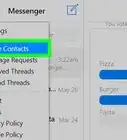
2Click Messenger. It’s in the panel of links along the left side of the screen, right after “News Feed.”Advertisement
-
3Select a conversation. If you don’t see it on the screen, use the Search box at the top-left corner of the Messenger screen to search for your friend’s (the person with the nickname you want to change) name.
-
4Click Edit Nicknames. It’s on the right side of the screen under the “Options” heading. A pop-up will appear, listing the names of everyone who’s participating in the conversation.
-
5Click the name you want to change. You can change the name of anyone in the conversation, including yourself!
-
6Type a nickname into the box. This is the way the person will now appear in that conversation. If you’re in a group chat, everyone will be able to see this name.
-
7Click Save. Your friend’s new nickname will take effect immediately. When you open Messenger, this conversation will be displayed as being with your friend's nickname rather than their real name.Advertisement



About This Article

1. Sign in to https://www.facebook.com.
2. Click Messenger.
3. Open the conversation.
4. Click Edit Nicknames.
5. Click the name you want to change.
6. Type a nickname.
7. Click Save.