This article was written by Nicole Levine, MFA. Nicole Levine is a Technology Writer and Editor for wikiHow. She has more than 20 years of experience creating technical documentation and leading support teams at major web hosting and software companies. Nicole also holds an MFA in Creative Writing from Portland State University and teaches composition, fiction-writing, and zine-making at various institutions.
This article has been viewed 3,406 times.
This wikiHow teaches you how to cancel your Amazon.com order when you’re using a computer. The process is slightly different depending on whether your order has already shipped.
Steps
Method 1
Method 1 of 2:Canceling an Order that Hasn’t Shipped
-
1Go to https://www.amazon.com in a web browser. If you’re not already signed in to your Amazon account, click Sign In near the top-right corner of the page to sign in now.
-
2Click Your Orders. It’s near the top-right corner of the page beneath your first name.
-
3Click Your Orders. It’s the first option near the top-left corner of the page.
-
4Click Cancel Items. A list of orders that can be canceled will appear.[1]
-
5Select the items you want to cancel. Check the boxes next to each item you want to cancel. If you want to cancel the entire order, check all of the boxes.
-
6Click Cancel checked items. This submits a cancellation request to Amazon. You’ll receive a confirmation message via email that contains information about your refund.


Method 2
Method 2 of 2:Canceling a Shipped Order
-
1Go to https://www.amazon.com in a web browser. If you’re not already signed in to your Amazon account, click Sign In near the top-right corner of the page to sign in now.
-
2Click Your Orders. It’s near the top-right corner of the page beneath your first name.
-
3Click Your Orders. It’s the first option near the top-left corner of the page. A list of your recently-processed orders will appear.
-
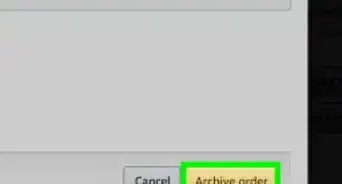
4Click Request Cancellation on the order you want to cancel. This submits a cancellation request even though the order has already shipped.
-
5Refuse the delivery. If the order still shows up to your mailing address, do not accept the package. If you accept it, you’ll usually be responsible for shipping it back to Amazon.


About This Article

1. Sign in to Amazon.com.
2. Click Your Orders.
3. Click Your Orders.
4. Click Cancel Items.
5. Select items to cancel.
6. Click Cancel checked items.